
If you manage a WordPress site and you’ve ever clicked “Login with Google” or “Login with Microsoft” on the admin screen, there’s a decent chance the plugin doing that work behind the scenes is miniOrange’s OAuth Single Sign-On client. That’s exactly why CVE-2026-57807 is worth pausing for — it’s not a flaw in some obscure widget nobody uses, it’s sitting directly on the authentication path of the plugin, which is about the worst place a bug can live.
The short version: an attacker with zero credentials, zero clicks required from a victim, and nothing more than a web request can walk in as any user on the site — including the administrator. That’s not an exaggeration for effect; that’s what the CVSS 9.8 score and the technical details actually add up to.
What CVE-2026-57807 Actually Is
CVE-2026-57807 is an authentication bypass in the miniOrange OAuth Single Sign On – SSO (OAuth Client) plugin, affecting the enterprise edition up through version 38.5.8. It was disclosed by Patchstack on July 9, 2026, after being reported by security researcher Kim Dvash roughly a month earlier, on June 6.
This isn’t the first time authentication logic in miniOrange’s OAuth SSO plugin has been the weak point. A previous vulnerability, CVE-2024-10111 (CVSS 8.1), was also an authentication bypass disclosed in this same plugin family. Two authentication bypasses in overlapping code within roughly two years isn’t a coincidence worth ignoring — it suggests the plugin’s authentication and recovery flows deserve closer, ongoing scrutiny rather than a one-time patch-and-forget approach.
The root cause sits in the plugin’s password recovery mechanism. Instead of validating a recovery request through a properly authenticated channel, the flow can be manipulated through an alternate path that the plugin doesn’t check carefully enough. In classification terms, that’s CWE-288 (Authentication Bypass Using an Alternate Path or Channel), and it maps to CAPEC-50 (Password Recovery Exploitation) — a well-documented attack pattern, not some novel technique. It also falls under OWASP Top 10 category A7: Identification and Authentication Failures.
📌 Worth knowing: Password recovery flows are a recurring weak point across web applications generally, not just this one plugin. We’ve written before about how password reset tokens leaking through URLs create similar exposure — the common thread is that recovery mechanisms often get less security scrutiny than the main login form, even though they grant the same level of access.
Here’s the official CVE record, showing Patchstack as the assigning authority along with the core vulnerability description:
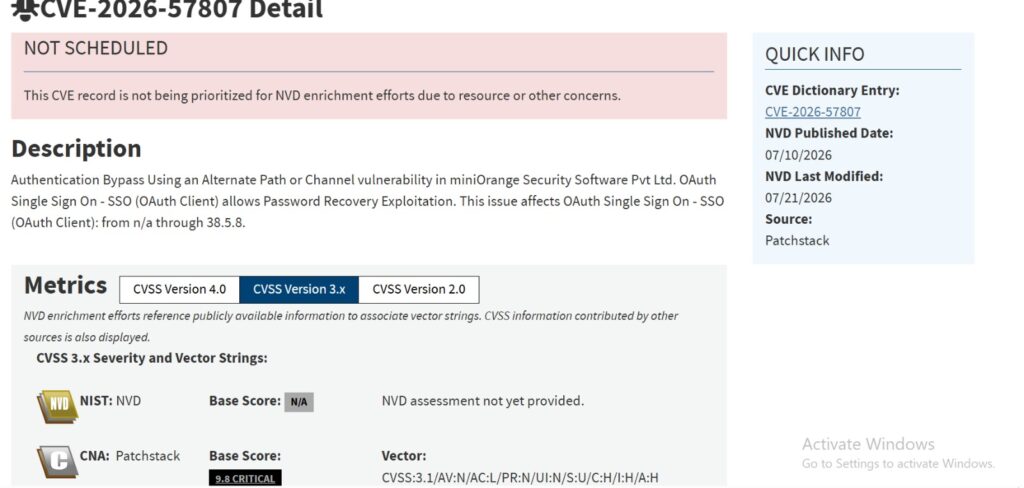
Official CVE-2026-57807 record via CVE.org, listing Patchstack as the CNA.
If you want to check whether your site has already been targeted, look through your server or WAF access logs for repeated requests hitting the plugin’s password recovery endpoint in a short window — especially from the same IP or a rotating set of IPs with no legitimate account tied to the request. A normal user resets their password once or twice; automated exploitation attempts tend to hit the same endpoint dozens or hundreds of times in rapid succession. Unusual spikes in POST requests to recovery-related URLs around the disclosure date (July 9, 2026 onward) are worth a closer look.
Reading the CVSS Vector
The vector string is CVSS:3.1/AV:N/AC:L/PR:N/UI:N/S:U/C:H/I:H/A:H, and every part of it is bad news:
- AV:N — exploitable remotely over the network
- AC:L — low complexity, no special conditions needed
- PR:N — zero privileges required; the attacker doesn’t need any account
- UI:N — no user interaction; nobody has to click anything
- C:H / I:H / A:H — full compromise of confidentiality, integrity, and availability
That combination — no privileges, no interaction, low complexity, network-reachable — is what makes a vulnerability practical for automated, mass exploitation rather than something that requires a skilled attacker manually targeting one site. Worth noting here too: NVD has flagged this record as “not scheduled” for its own enrichment review, so Patchstack’s CNA-assigned score of 9.8 is currently the authoritative figure, not a NIST-recalculated one.
⚠️ Remember: A score this high combined with zero required privileges is the exact profile security teams use to prioritize patching queues. If you’re triaging a stack of pending WordPress updates this week, this one belongs at the top, not somewhere in the batch.
Interestingly, NVD hasn’t scored this one itself — the record is flagged as unscheduled for enrichment, leaving Patchstack’s CNA score as the only official rating:
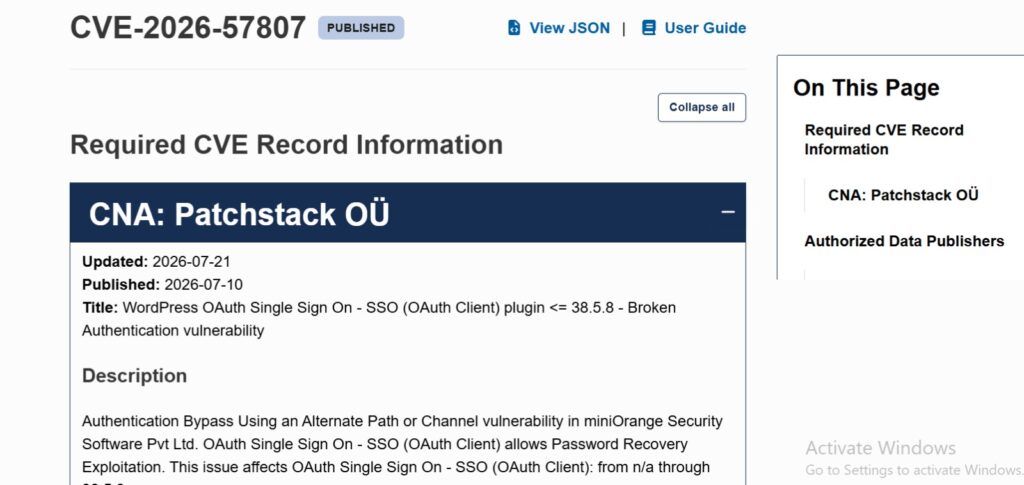
NVD lists CVE-2026-57807 as ‘NOT SCHEDULED,’ with Patchstack’s CVSS 9.8 as the sole authoritative score.
Which Sites Are Actually At Risk
This is where a lot of confusion has already started spreading, so it’s worth being precise. There are two different products that both carry the “miniOrange OAuth Single Sign-On” name:
- The enterprise OAuth Single Sign-On (OAuth Client) plugin, versions in the 38.5.x range — this is the one affected by CVE-2026-57807.
- A smaller, unrelated free plugin on the WordPress.org repository (built around social login via EVE Online, Google, and Facebook), which sits on a completely separate 6.26.x version track.
Enterprise Edition vs. Free Plugin — At a Glance
| Attribute | Enterprise OAuth SSO Client | Free WordPress.org Plugin |
|---|---|---|
| Version track | 38.5.x | 6.26.x |
| Affected by CVE-2026-57807 | Yes (≤ 38.5.8) | No |
| Typical use case | Enterprise SSO with Azure AD, Okta, Google Workspace | Basic social login (Google, Facebook, EVE Online) |
| Patched version | 38.5.8.1 | Not applicable |
If you check your installed plugin list and see version numbers in the 6.x range, you’re not looking at the vulnerable build. The vulnerable enterprise edition is typically deployed on sites that specifically set up SSO integrations with identity providers like Azure AD, Okta, or Google Workspace through miniOrange’s paid offering — the kind of setup you’d find on a business site with employee or client logins, not a typical blog.
✅ Best practice: Don’t rely on the plugin name alone to judge exposure — check the actual installed version number under Plugins in your WP Admin dashboard. Name-based confusion between similarly branded plugins is more common than people expect, and it’s an easy way to either panic unnecessarily or, worse, assume you’re safe when you’re not.
A quick WordPress.org search shows exactly why this naming confusion happens — multiple listings share the same display name but point to a completely different plugin slug:
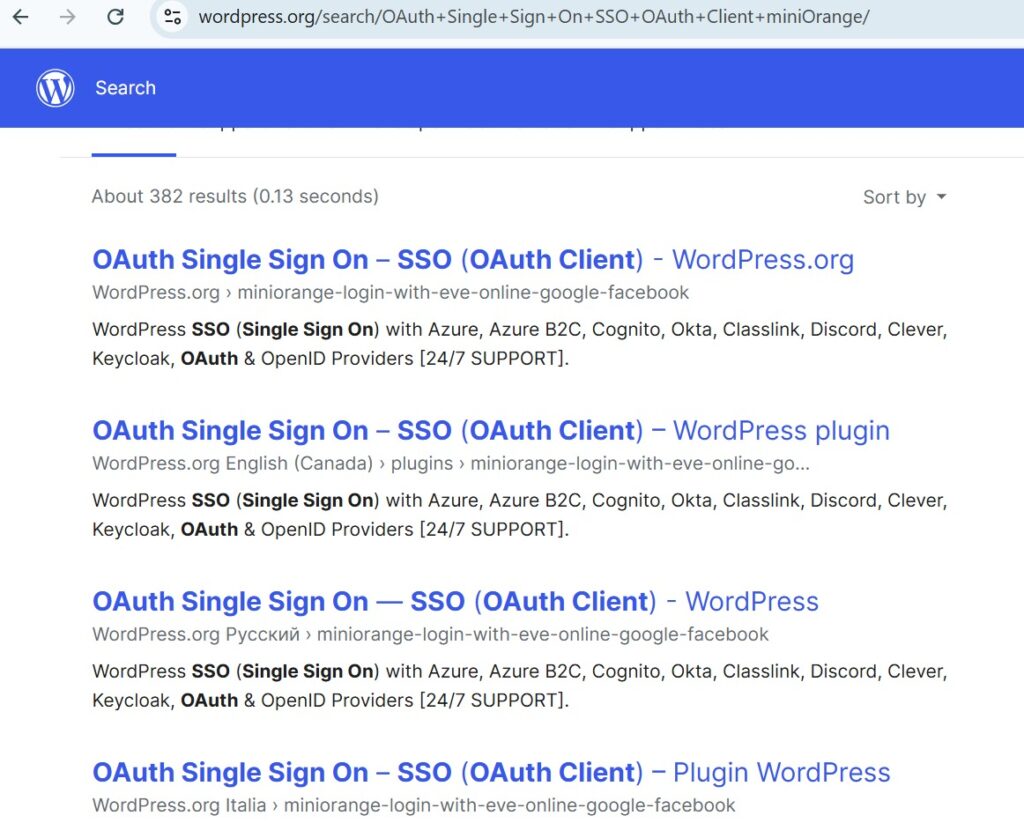
WordPress.org search results showing the ‘OAuth Single Sign On – SSO (OAuth Client)’ name mapped to an unrelated plugin slug.
Patch Status: What Changed Since Disclosure
Here’s a detail that matters and that a lot of the initial coverage from mid-July got stuck on: when this CVE was first disclosed, there was no patch available. Several outlets covering it in the days right after disclosure told site owners to deactivate and remove the plugin entirely as the only real mitigation, since there was nothing to update to.
That’s since changed. Patchstack’s advisory now lists version 38.5.8.1 as the patched release. If you’re checking this today, the fix exists — the priority now is confirming you’re actually running it, not waiting on a vendor timeline.
📌 Worth knowing: This timeline gap — vulnerability disclosed publicly before a patch is ready — is fairly common with CVE coordination and isn’t unique to miniOrange. It’s exactly why relying on a single article from the disclosure week can leave you working off stale information. Always check the current advisory status before acting, not just what was true the day the CVE was announced.
Patchstack’s advisory now shows the fix has landed — version 38.5.8.1 is listed as the patched release:
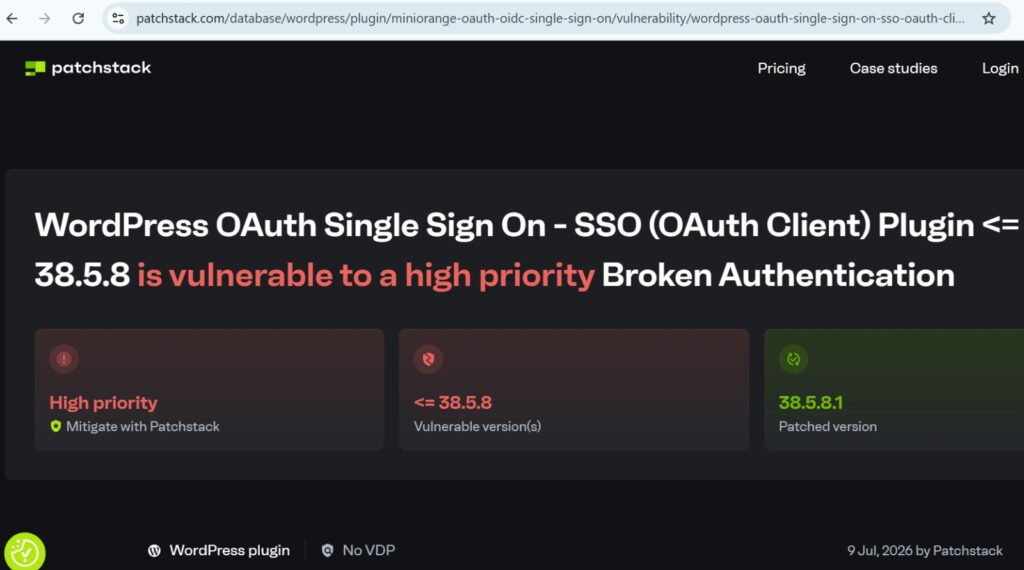
Patchstack advisory confirming version 38.5.8.1 as the patched release for CVE-2026-57807.
What To Do If You’re Running This Plugin
- Open Plugins in your WordPress dashboard and locate “OAuth Single Sign On – SSO (OAuth Client).”
- Check the version number. If it’s 38.5.8 or earlier, update immediately to 38.5.8.1 or later.
- If for any reason you can’t update right away, disable the plugin until you can — don’t leave a known, unauthenticated, zero-click bypass live on a production site.
- After patching, it’s worth auditing your user list for any administrator accounts you don’t recognize, and reviewing recently modified files. If the site was exposed for any length of time before you patched, a quick compromise check costs far less than cleaning up a breach later.
Security researcher Kim Dvash reported the vulnerability privately on June 6, 2026. Patchstack published the public advisory about a month later, on July 9, 2026 — a coordination window that gave miniOrange time to work on a fix before full technical details went public. That’s the responsible disclosure process working as intended, even though the patched build (38.5.8.1) wasn’t ready at the moment of public disclosure.
This last step ties back into a broader point we’ve made in our breakdown of how CVE, CWE, and CAPEC classifications work together: knowing the CVE tells you what’s broken, but understanding the CWE and CAPEC behind it tells you what an actual attack looks like — in this case, an automated bot hitting the password recovery endpoint at scale, not a targeted manual intrusion. That distinction is exactly why post-patch account audits matter here.
The Broader Lesson
Authentication plugins carry more risk per line of code than almost anything else in a WordPress stack, precisely because they’re designed to grant access rather than restrict it. When the mechanism meant to protect your login screen becomes the way around it, the usual advice — “just keep plugins updated” — undersells the urgency. For any WordPress site handling SSO, client logins, or admin access through a third-party plugin, it’s worth treating authentication-layer updates with the same urgency you’d give a payment processor update, not a routine plugin refresh. Reviewing your setup against a framework like OWASP ASVS is a reasonable next step if this CVE has you rethinking how much scrutiny your login flow actually gets.
Patchstack’s original advisory and the official NVD/CVE record are the best places to track this vulnerability going forward, since patch status and technical details can continue to be updated as more is learned.
What is CVE-2026-57807?
CVE-2026-57807 is a critical authentication bypass vulnerability in miniOrange’s OAuth Single Sign-On (SSO OAuth Client) plugin for WordPress. It allows unauthenticated attackers to bypass login and access any account, including administrator accounts, through the plugin’s password recovery mechanism.
What is the CVSS score of CVE-2026-57807?
It carries a CVSS 3.1 score of 9.8, rated Critical, with the vector AV:N/AC:L/PR:N/UI:N/S:U/C:H/I:H/A:H — meaning it’s remotely exploitable, low complexity, requires no privileges, and needs no user interaction.
Which versions of the miniOrange OAuth SSO plugin are affected?
All enterprise editions of the OAuth Single Sign On – SSO (OAuth Client) plugin up to and including version 38.5.8 are affected. The vulnerability was patched in version 38.5.8.1.
Is the free miniOrange WordPress.org plugin also vulnerable?
The vulnerable plugin is miniOrange’s paid enterprise OAuth SSO edition (38.5.x version track). The free plugin available on WordPress.org runs on a separate 6.26.x version track and is not affected by this CVE.
How was CVE-2026-57807 discovered and disclosed?
It was discovered by security researcher Kim Dvash, reported on June 6, 2026, and publicly disclosed by Patchstack on July 9, 2026.
How do I fix CVE-2026-57807 on my WordPress site?
Update the miniOrange OAuth Single Sign On – SSO (OAuth Client) plugin to version 38.5.8.1 or later immediately. If you can’t update right away, disable the plugin, and afterward audit your admin user list and recently modified files for signs of compromise.

Abdul Shakoor writes practical, defensive cybersecurity and networking guides for SentrixHub. He focuses on making API security, mobile app security, authentication, and network concepts simple for beginners and developers.