
By Abdul Shakoor
The first time I watched a firewall log fill up in real time, I genuinely didn’t believe what I was seeing. It was a small client’s server, sitting quietly online, and within an hour there were hundreds of blocked connection attempts from IP addresses I’d never heard of, in countries the business had never sold to. Nobody was “hacking” them in the movie sense. It was just the internet doing what it does — constant, automated probing, all day, every day.
That’s the thing most people don’t realise: your network doesn’t get attacked because you’re important. It gets attacked because it’s reachable. And the one piece of software standing between “reachable” and “compromised” is usually the firewall.
So let’s talk about what a firewall actually does — not the textbook definition, but how it works in practice and why it still matters even in 2026.
What a firewall really is (in plain language)
How a Firewall Sits Between You and the Internet
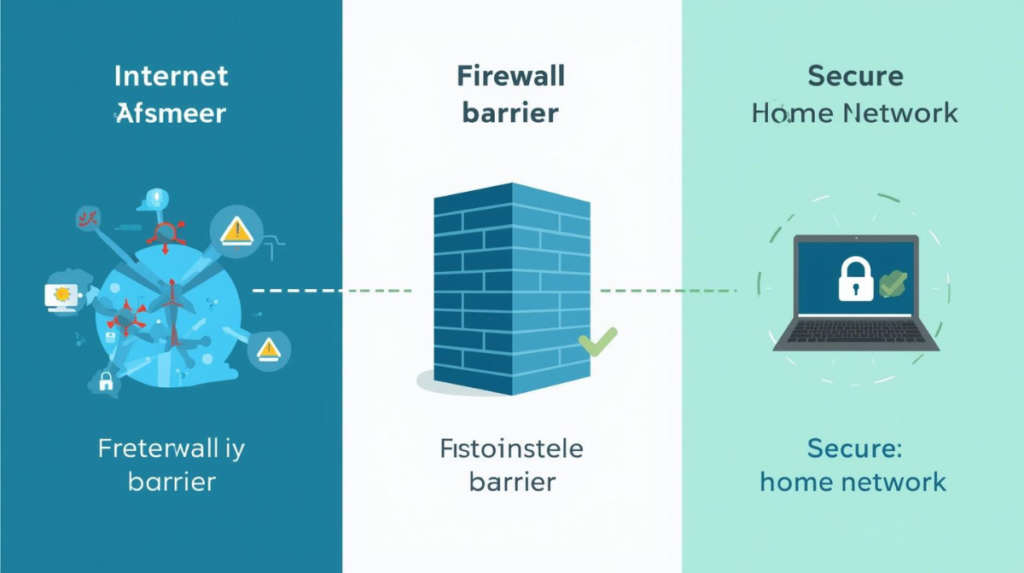
At its simplest, a firewall sits at the boundary between your network and the wider internet. Every request coming in or going out passes through it first — and only the traffic that matches your rules is allowed through. Everything else is stopped at the wall before it ever reaches your devices.
Forget the formal definitions for a second. A firewall is basically a bouncer for your network traffic. Data wants to come in or go out, and the firewall checks each request against a set of rules before deciding: let it through, or block it.
The “security guard at the building entrance” comparison gets used a lot, and honestly it’s a good one — but I’d add a detail people miss. A good bouncer doesn’t just check IDs at the door. He also notices when someone who came in earlier starts behaving strangely and walking toward rooms they shouldn’t. Modern firewalls do the same thing, and that “watching ongoing behaviour” part is where most of the real protection happens. More on that shortly.
The core idea is dead simple:
- Traffic that matches your “allowed” rules gets through.
- Everything else gets dropped.
The hard part isn’t the concept. It’s writing rules that are tight enough to stop attackers but loose enough that your actual work still functions. I’ve locked myself out of a server more than once by being too aggressive with firewall rules. It’s a rite of passage.
Software firewall vs hardware firewall — and which one you actually need
There are two flavours, and people overcomplicate the choice.
A software firewall runs on the device itself. Windows Defender Firewall, the macOS application firewall, and iptables (or nftables) on Linux are the common ones. These protect the single machine they live on. If you’ve ever clicked “Allow” on a Windows pop-up asking about network access, congratulations — you’ve configured a software firewall.
A hardware firewall is a separate box that sits between your whole network and the internet. One device guards everything behind it. This is what businesses use, because installing and managing software firewalls on 200 individual machines is a nightmare nobody wants.
Here’s the practical reality though: it’s not either/or. A decent setup uses both. The hardware firewall guards the perimeter, and each machine still runs its own software firewall as a backup layer. Security people call this “defence in depth.” I call it “not putting all your eggs in one basket,” which is the same idea with fewer syllables.
✅ Best practice: Use both — a hardware firewall to guard your whole network, plus software firewalls on individual devices as a second layer. Security pros call this “defence in depth.
Software vs Hardware Firewall — at a Glance
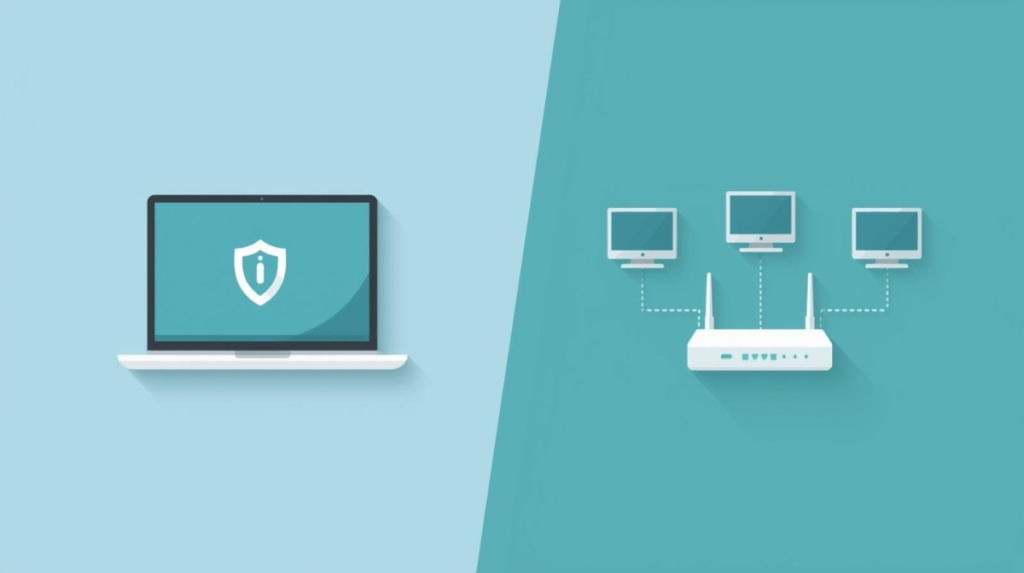
A software firewall protects the single device it runs on, while a hardware firewall guards every device on the network from one central point. In practice, using both gives you the strongest protection — the network edge and each device are covered at the same time.
How a firewall actually stops an attack, step by step
This is the part worth understanding properly, because once it clicks, the rest makes sense. When data moves across a network, it’s chopped into small chunks called packets. Every packet carries a little label — where it came from (source IP), where it’s going (destination IP), which port and protocol it’s using, and the actual data inside. The firewall reads that label before letting the packet in.
It checks the packet against your rules.
A typical rule set might allow normal web traffic on port 443 (HTTPS), allow email on its proper ports, and block everything else by default.
⚠️ The most important firewall rule: block everything by default, then open only what you need. Almost every serious firewall mistake comes from leaving too much open.
That “block everything else by default” line is the single most important firewall setting there is — and the one beginners most often get wrong by leaving things open “just in case.”
Allowing Only What You Trust
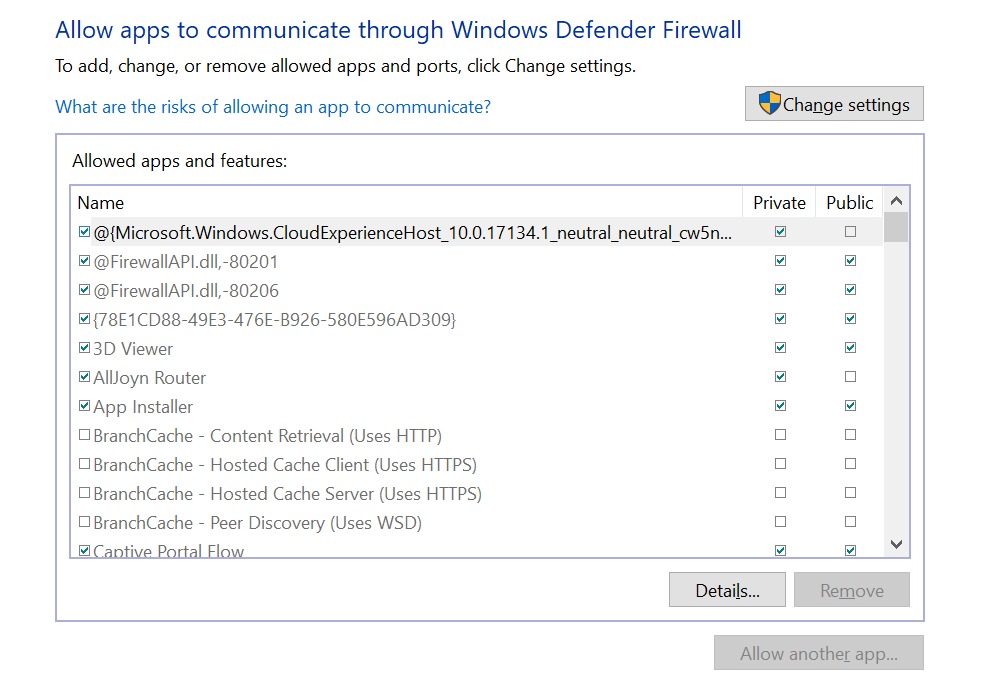
This is the “allowed apps” list — the heart of how a firewall decides what gets through. Each app can be permitted on private or public networks, and anything not ticked is blocked by default. The goal is simple: allow only the apps you actually trust, and leave everything else closed.
It tracks the connection’s state.
This is the upgrade that made firewalls genuinely good. Older firewalls judged every packet in isolation. Modern ones use stateful inspection — they remember which connections your network legitimately started, and only allow replies that belong to those conversations. So if a packet shows up claiming to be a reply to something you never sent, the firewall knows it’s lying and drops it.
It recognises attack patterns.
Things like port scanning (an attacker knocking on every door to see which opens), brute-force login attempts, and denial-of-service attacks floods all have signatures. When the firewall spots one, it blocks the source and — if it’s set up well — fires off an alert.
It logs everything
This sounds boring until you need it. Those logs are how you find out you were targeted, how the attacker tried to get in, and what rule to tighten next. The client I mentioned at the start? We only understood the scale of what they were facing because the firewall had been quietly logging it all along.
Watch: How a Firewall Works (Quick Visual Explainer)
If you’re more of a visual learner, the short video above walks through the same idea from a different angle — how a firewall inspects traffic and decides what to allow or block. It’s a helpful way to lock in the concept before we move on to the different types of firewalls.
A real attack I watched a firewall stop
Let me give you a concrete one, because abstract explanations only go so far.
A small online retailer I helped was getting hammered one night by automated login attempts on their admin panel — the classic brute-force pattern, thousands of username-password guesses from a rotating set of IP addresses. The business owner had no idea it was happening; he was asleep.
The firewall did three things on its own, in seconds:
- It noticed dozens of failed logins from the same handful of IPs in a short window.
- It blocked those IPs and added them to a blocklist.
- It logged the event so we could review it the next morning.
Nobody got in. The owner woke up, saw the alert, and his honest reaction was, “I didn’t even know that was a risk.” That’s the uncomfortable truth — most attacks aren’t dramatic. They’re automated, patient, and they happen while you’re not looking. The firewall is the thing that doesn’t sleep.
📌 Worth knowing: A firewall blocking brute-force attempts is great, but it’s treating the symptom. The real fix is also enforcing strong passwords and rate-limiting logins at the application level. Firewalls are a layer, not the whole wall.
Worth knowing: A firewall blocking brute-force attempts is great, but it’s treating the symptom. The real fix is also enforcing strong passwords and rate-limiting logins at the application level. Firewalls are a layer, not the whole wall.
The types of firewalls, ranked by how much they actually do
There are four worth knowing, and they’re basically a history of the technology getting smarter.
Packet-filtering firewalls
are the originals. They look at the packet header — source, destination, port — and make a quick allow/block call. Fast, simple, and not very clever. Fine as a basic gate, but easy to fool.
Stateful inspection firewalls
added the memory I described earlier. They track active connections and reject packets that don’t belong to a legitimate session. This is the baseline you should expect from anything modern.
Proxy firewalls
sit in the middle of the conversation. Instead of letting your computer talk directly to the internet, the proxy talks on your behalf and hides your internal network. Slower, but very thorough about inspecting what passes through.
Next-generation firewalls (NGFWs)
are what most serious networks run now. They combine traditional filtering with intrusion prevention, application awareness (knowing the difference between, say, normal HTTPS and someone tunnelling something sneaky through port 443), and live threat intelligence. They cost more and need more tuning, but for a business handling real data, they’re worth it.
If you’re a home user, by the way, you almost certainly already have a firewall — it’s built into your router. Netgear, TP-Link, Asus, all of them ship with basic firewall protection switched on. It’s not enterprise-grade, but it does the essential job.
Setting up firewall protection without overcomplicating it
What a Firewall Looks Like on Your Own PC
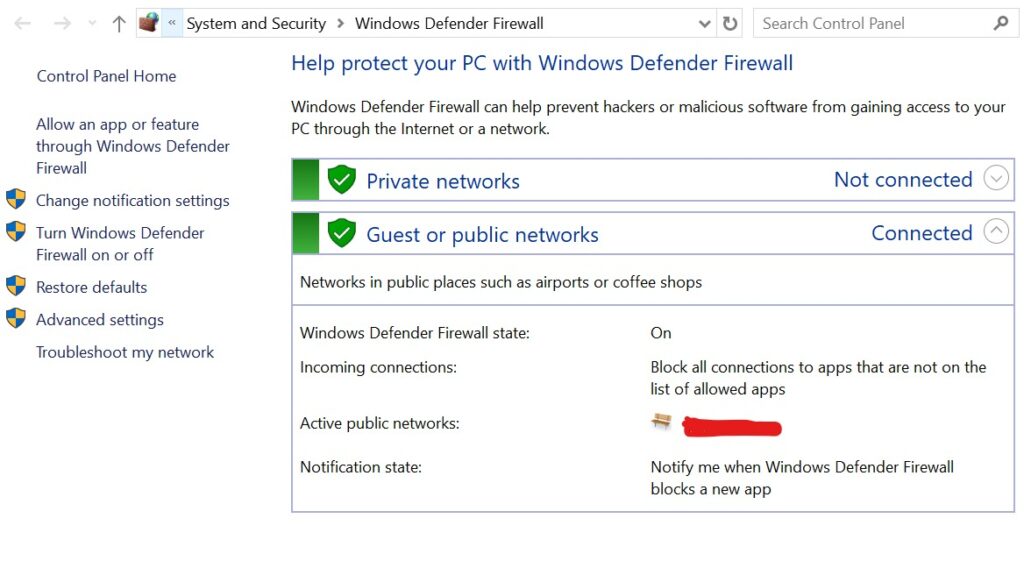
You don’t need expensive software to see a firewall in action — Windows has one built in. This screen shows it switched on, quietly blocking incoming connections that aren’t on the allowed list. For most home users, simply keeping this enabled already stops a huge amount of automated junk from the internet.
If you’re configuring one for the first time, here’s the approach I’d genuinely recommend, learned mostly from getting it wrong first:
Start by blocking everything, then open only what you need. It feels backwards, but it’s far safer than opening everything and trying to close holes one by one. You’ll never find them all that way.
Allow the traffic your work actually depends on — HTTPS, email, whatever your specific apps require — and nothing more. Every open port is a door, and every door is a thing you now have to defend.
⚠️ Remember: Every open port is a door an attacker can try. Only open the ports your work actually needs — close the rest.
Turn on logging from day one, even if you never plan to read the logs. The day something goes wrong, you’ll be grateful they exist.
Then watch for patterns — repeated failed logins, traffic spikes at odd hours, connection attempts on ports you’ve never used. And revisit your rules every so often, because threats change and a rule that made sense last year might be useless or even risky now.
That’s genuinely most of it. Firewall management isn’t magic; it’s discipline.
Where firewalls are heading
The technology keeps evolving because attackers do. The newer directions are worth knowing about:
AI-driven detection is getting better at spotting weird behaviour that doesn’t match any known signature — catching the attack nobody’s seen before. Cloud-based firewalls protect infrastructure that no longer lives in a single building. And Zero Trust architecture is shifting the whole mindset from “trust everything inside the network, block everything outside” to “trust nothing by default, verify every single request.” That last one is a genuinely big change in how security gets designed, and it’s where a lot of the industry is heading.
So, do you actually need to care about this?
Yes — and not just if you run a business.
If you have a home network, your router’s firewall is already working for you; just make sure it’s switched on and your router firmware is up to date. If you manage anything with real data behind it — customers, payments, private information — a firewall isn’t optional, and a default-block, log-everything, regularly-reviewed setup will stop the overwhelming majority of the automated junk the internet throws at you.
A firewall won’t make you invincible. Nothing does. But it’s the most cost-effective security layer you can put in place, and it works around the clock without complaining. After watching one quietly block an attack that the business owner didn’t even know was happening, I stopped thinking of firewalls as boring infrastructure. They’re the quiet guard that earns its keep on the nights nobody’s watching.
Frequently asked questions
Is the firewall built into my router enough?
For a typical home, it’s a solid baseline — keep it enabled and your firmware updated. For a business with sensitive data, you’ll want a dedicated firewall and ideally software firewalls on individual machines too.
Does a firewall stop viruses?
It helps by blocking the malicious connections malware uses to spread or “call home,” but it’s not a replacement for antivirus software. They cover different jobs — use both.
What’s the most important firewall setting for a beginner?
“Block by default, allow only what you need.” Almost every serious firewall mistake comes from leaving too much open.
Software firewall or hardware firewall — which should I choose?
Ideally both. The hardware firewall guards the whole network’s edge; the software firewall protects each device as a second layer.

Abdul Shakoor writes practical, defensive cybersecurity and networking guides for SentrixHub. He focuses on making API security, mobile app security, authentication, and network concepts simple for beginners and developers.