
By Abdul Shakoor
For a long time, that little padlock icon in the browser felt like a promise. HTTPS was on, the connection was encrypted, and that was that — safe. I used to think the same way when I started out. The padlock meant “done, nothing to worry about here.”
The BEAST attack is what taught a whole generation of developers that the padlock is the beginning of the security conversation, not the end. It showed that you can have encryption switched on and still be exposing sensitive data — if the way that encryption is implemented has a weakness. And that distinction, between “encrypted” and “securely encrypted,” turns out to matter enormously.
Here’s the part that surprises people: BEAST is from 2011, which in security terms is ancient history. So why write about it now? Because the flaw it exploited still lives on in legacy systems, outdated APIs, and misconfigured servers all over the place. I’ve run vulnerability scans on “modern” infrastructure and watched TLS 1.0 light up as still-enabled more times than I’d like. If you build or secure APIs or mobile apps, this isn’t a history lesson — it’s a checklist item.
What the BEAST attack actually is
BEAST stands for Browser Exploit Against SSL/TLS. It’s a type of TLS attack that targets a weakness in how older protocols — specifically SSL 3.0 and TLS 1.0 — handle encrypted data when using CBC (Cipher Block Chaining) mode.
In plain language: BEAST lets an attacker gradually decrypt data that’s travelling over an HTTPS connection. Not all at once, not instantly — but piece by piece, until they’ve reconstructed something sensitive like a session cookie.
The key thing to understand is that it affects a specific combination: SSL 3.0 or TLS 1.0, using CBC-mode cipher suites. It’s not that encryption “failed” — it’s that this particular implementation of it had a predictable weakness an attacker could lever open.
Behind the Padlock: The Certificate
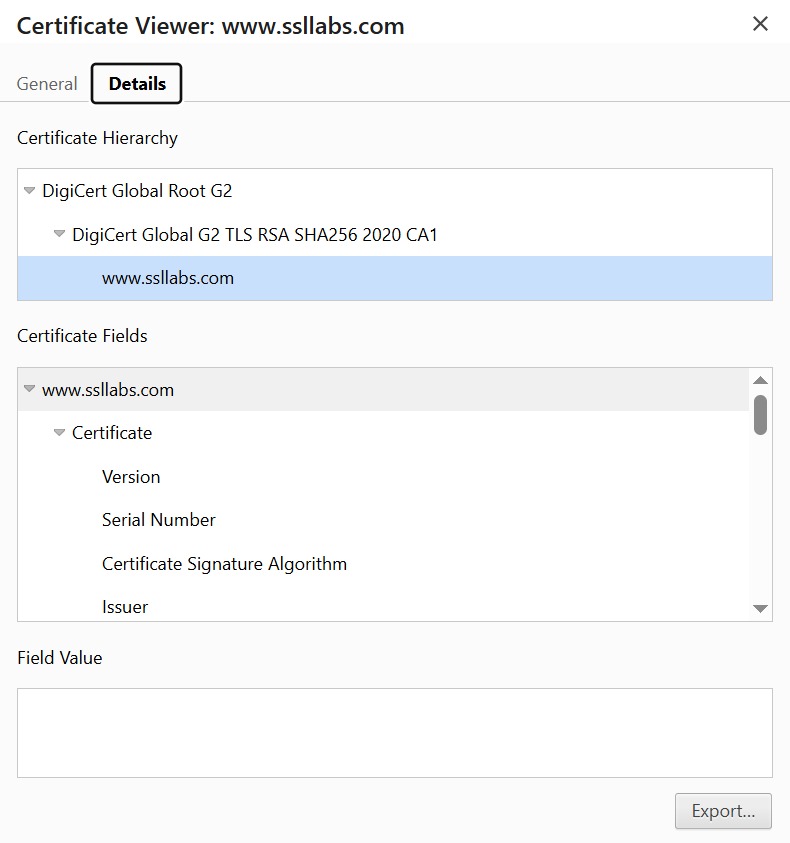
Click the padlock in your browser and you can inspect the certificate securing a connection — the chain of trust, the signing authority, and the encryption details. But here’s the catch: a valid certificate confirms the connection is encrypted, not that it’s configured securely. That’s the exact gap BEAST exploited.
How the attack works, step by step
Let me walk through the mechanism, because once you see it, the fix makes intuitive sense.
The victim connects over HTTPS
to a site that’s still using TLS 1.0. So far, everything looks normal — the padlock’s there, the connection’s “encrypted.”
The attacker gets malicious JavaScript running
in the victim’s browser, usually by tricking them into visiting a malicious page. That script can quietly send controlled requests to the target server and watch the encrypted responses come back.
The CBC weakness gets exploited.
Here’s the heart of it: CBC mode encrypts data in blocks, where each block depends on the one before it. In TLS 1.0, the initialization vector (IV) — the random-ish value that’s supposed to make each encryption unpredictable — is actually predictable. That predictability is the crack in the armour. It lets the attacker make educated guesses about the encrypted content and confirm them by comparing responses.
Sensitive data gets extracted, slowly.
By repeating this guess-and-confirm process, the attacker gradually reconstructs things like session cookies and authentication tokens. It’s tedious and slow — but slow doesn’t mean harmless when the prize is your session token.
📌 Worth understanding: BEAST isn’t a remote “press a button and you’re in” attack. The attacker needs a man-in-the-middle position — typically being on the same network as you — plus the ability to run script in your browser. That’s exactly why public Wi-Fi is the classic setting for it, and why the threat model matters as much as the flaw itself. to intercept and manipulate traffic, such as a man-in-the-middle scenario.
Watch: How TLS Attacks Like BEAST Work
The video above explains TLS encryption visually — useful if you’d rather see how the protocol works before diving into how BEAST exploits its weaknesses.
Why TLS 1.0 and CBC became a problem
BEAST exposed something deeper than one bug. It proved a principle worth tattooing on every developer’s brain: strong algorithms don’t guarantee strong security — the implementation matters just as much.
TLS 1.0’s specific sin was those predictable initialization vectors in CBC mode. CBC itself is sound in theory — chaining blocks together is a reasonable design — but TLS 1.0’s implementation reused predictable IVs, which opened the door to chosen-plaintext attacks where an attacker can make parts of the encrypted stream guessable.
And while the modern world has largely moved to TLS 1.2 and 1.3, the reason this still matters is depressingly mundane: legacy systems keep TLS 1.0 alive for “compatibility.” They’d rather support an old client than break it, so the weak protocol stays switched on, quietly failing security scans that flag the BEAST vulnerability fix as missing.
Why this matters for API security
APIs are the backbone of basically every modern application — login, payments, data retrieval, all of it runs through API calls. And TLS is what’s supposed to keep that traffic private in transit.
The problem shows up when an API server still supports TLS 1.0 or weak CBC cipher suites. In that case, an attacker positioned correctly could intercept API traffic, extract tokens, and replay requests. That’s a serious confidentiality breach, and it’s most dangerous in exactly the places you’d least want it — financial APIs, healthcare systems, enterprise integrations, where backward compatibility tends to keep legacy endpoints alive long past their safe expiry date. If you’re hardening an API, weak TLS config sits right alongside the kind of issues I’ve covered in API and firewall security — it’s the same “the perimeter looks fine but the details leak” problem.
There’s also a token-handling angle here. BEAST’s whole goal is often to steal session tokens — which is a good reminder that where and how you put tokens matters too, something I’ve written about in the context of token security mistakes. Defence in depth means not relying on the transport layer alone.
Why this matters for mobile apps
Mobile apps lean heavily on backend APIs, and TLS secures the channel between the app and its server. The trouble is that plenty of Android apps still ship with older TLS versions supported or SSL configured improperly.
Picture a mobile banking app that supports TLS 1.0 “for compatibility” and sends session cookies over HTTPS. An attacker on the same network could inject malicious traffic, exploit the CBC weakness, and recover those session tokens. The user sees a padlock and feels safe; the reality is anything but.
This is the kind of weakness that runtime security testing is built to catch — watching what an app actually negotiates over the wire rather than trusting its documentation. If you want to see how testers probe this sort of thing in practice, Frida hooking is the tool of choice for inspecting an app’s live network behaviour, and it pairs naturally with understanding how attackers reverse engineer apps to find these soft spots in the first place.
A real-world scenario: the café Wi-Fi attack
Let me make this concrete, because it’s the scenario that best captures BEAST’s threat model.
You sit down at a café, connect to the free Wi-Fi, and open an app or site still running TLS 1.0. An attacker on that same network performs a man-in-the-middle attack, injects malicious JavaScript, and exploits the TLS 1.0 CBC vulnerability. Slowly, your session data gets exposed — and you never saw a single warning sign, because the padlock was there the whole time.
This is why I’m wary of doing anything sensitive on public Wi-Fi, and why the broader question of whether attackers can really exploit networks like these is worth taking seriously rather than dismissing as paranoia. The network you don’t control is the network you should trust least.
How a Public Wi-Fi Attack Works
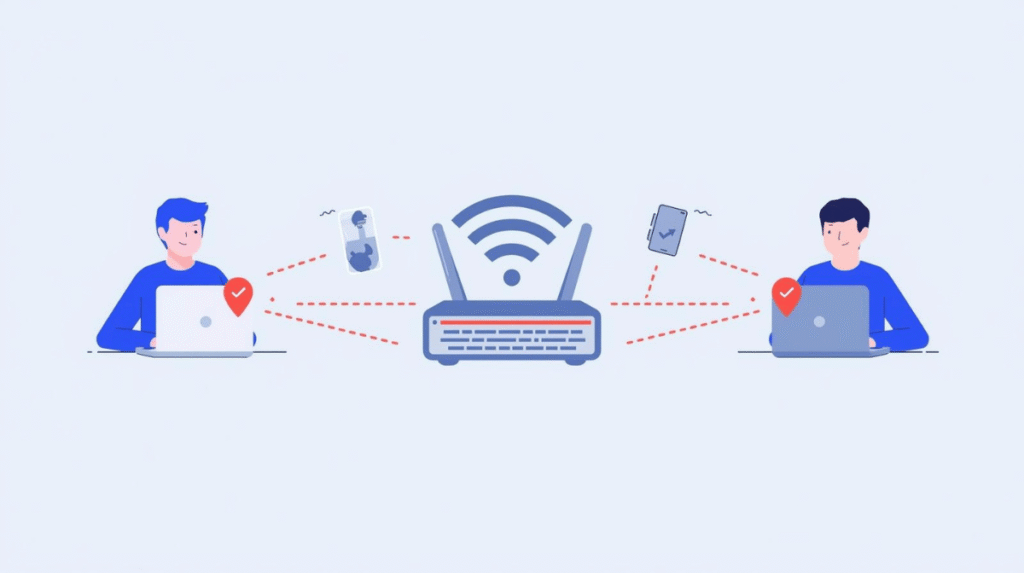
The classic BEAST scenario plays out on public Wi-Fi: an attacker positions themselves between you and the server, intercepting the connection. Even with HTTPS showing, a weak TLS 1.0 setup can let them slowly pull data from the “encrypted” traffic.
The mistakes I see teams make again and again
A few patterns come up constantly, and they’re all avoidable.
Keeping TLS 1.0 enabled
for compatibility is the big one. It feels harmless — “we’ll just support the old clients too” — but it leaves the door open for everyone.
Ignoring vulnerability scanner warnings.
Scanners flag the BEAST vulnerability and weak protocols clearly, and those warnings get waved away as noise far too often.
Misconfiguring cipher suites
by leaving weak CBC-based options enabled when stronger alternatives exist.
Relying on “HTTPS is on” as the finish line.
This is the mindset BEAST was built to punish. HTTPS being enabled tells you almost nothing about whether it’s configured securely. Configuration is where safety actually lives.
How to fix and prevent it
The good news is that remediation is well understood and not particularly hard.
Disable TLS 1.0 and SSL 3.0.
This is the single most important step. Modern standards call for TLS 1.2 at minimum, and TLS 1.3 where you can.
Use modern cipher suites
and avoid CBC mode where possible — favour AES-GCM or ChaCha20-Poly1305 instead.
Upgrade to TLS 1.3.
It eliminates the CBC vulnerabilities BEAST relied on entirely, uses modern encryption, and is actually faster thanks to a streamlined handshake. Paired with strong encryption like AES-256, you get both security and performance — there’s genuinely no downside for most use cases.
TLS Versions: What’s Safe and What’s Not
| TLS Version | Status | What to Do |
| SSL 3.0 | ❌ Insecure | Disable immediately |
| TLS 1.0 | ❌ Vulnerable | BEAST risk — disable |
| TLS 1.1 | ⚠️ Outdated | Deprecated — phase out |
| TLS 1.2 | ✅ Secure | Minimum recommended |
| TLS 1.3 | ✅ Best | Preferred — enable |
The rule of thumb is simple: anything below TLS 1.2 should be switched off, and TLS 1.3 should be your default wherever it’s supported. If a scan shows TLS 1.0 still enabled, that’s your BEAST exposure right there.
What a Secure TLS Setup Looks Like
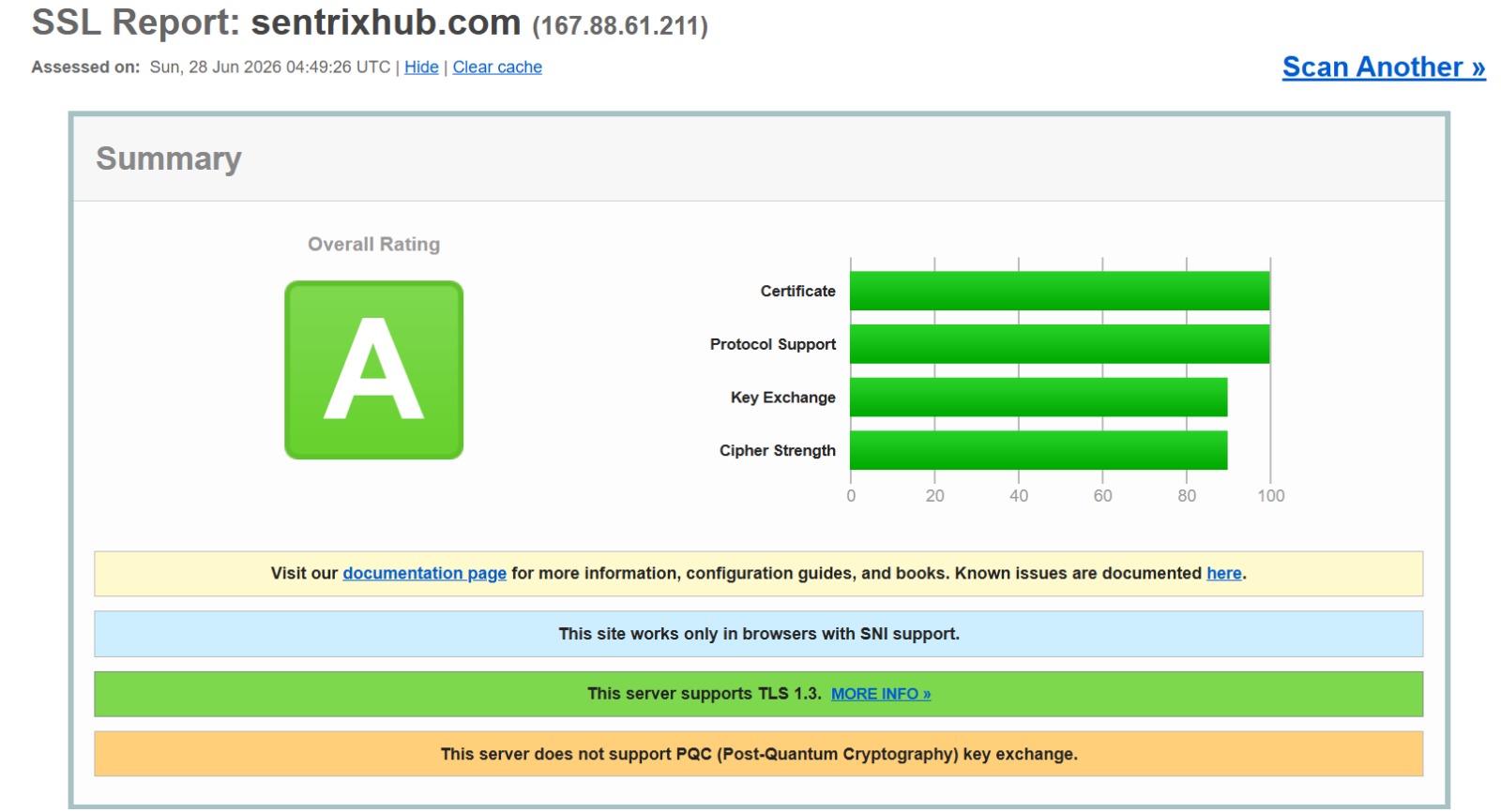
Here’s SentrixHub’s own SSL Labs report — an “A” rating with full TLS 1.3 support and no weak protocols enabled. This is exactly the configuration that closes the door on BEAST: modern TLS versions, strong cipher strength, and no legacy TLS 1.0 hanging around for “compatibility.” Free tools like SSL Labs let you run this same check on any site in under a minute.
Enable secure configuration
following established transport-security guidance, and scan regularly to catch weak protocol support and padding-related issues before an attacker does.
✅ Best practice: Treat TLS configuration as something you verify, not something you assume. “We use HTTPS” is not a security posture. “We’ve disabled TLS 1.0, enforced 1.2+, removed CBC suites, and we scan for regressions” is. The gap between those two sentences is exactly where BEAST and its cousins live.
Old TLS vs Modern TLS
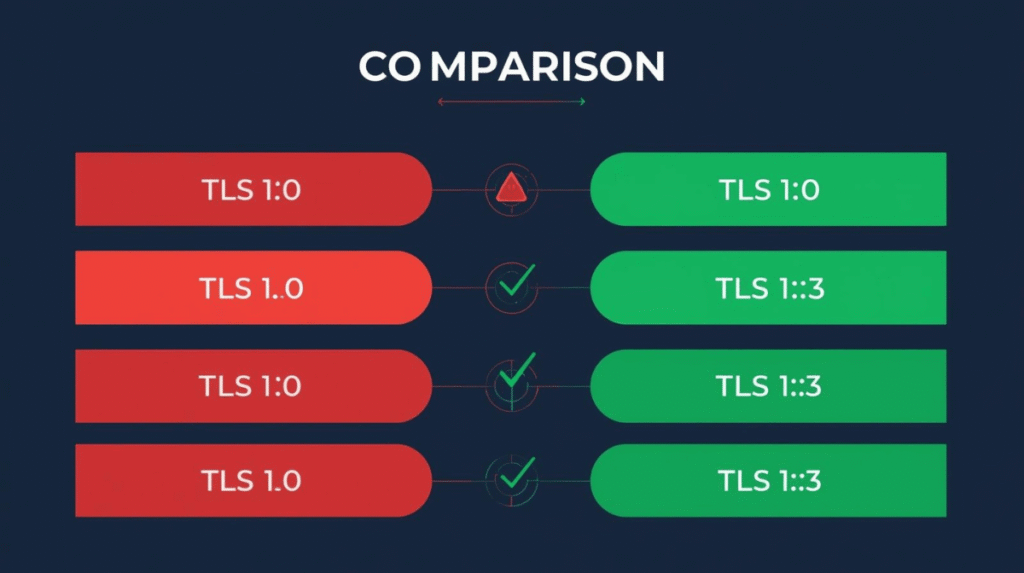
The fix for BEAST comes down to versions. TLS 1.0 carries the CBC weakness the attack exploits; TLS 1.3 eliminates it entirely while being faster and more secure. Disabling the old and enforcing the new closes the door.
Practical advice by role
If you’re an API developer:
enforce TLS 1.2 or higher, validate tokens server-side, and never let backward compatibility quietly re-enable weak protocols.
If you’re a mobile developer:
use modern networking libraries, avoid legacy TLS configurations, and implement certificate pinning properly so the app won’t silently accept a downgraded connection.
If you’re on a security team:
audit regularly, monitor for traffic anomalies, and enforce secure transport policies as a baseline rather than a nice-to-have.
And a few hard-won principles regardless of role: don’t trust legacy systems — they’re where old vulnerabilities hide. Test in real environments, because lab setups hide real-world risks. Focus on configuration, not just code, since even a well-written app fails with a weak TLS setup. And stay updated, because what counted as secure yesterday genuinely may not tomorrow.
The bottom line
The BEAST attack endures as a reminder that encryption alone isn’t enough — how you implement it matters every bit as much as whether you do. The padlock tells you a connection is encrypted. It says nothing about whether that encryption is configured well.
Most modern systems have moved past TLS 1.0, but the risk lingers in legacy infrastructure, misconfigured servers, and outdated APIs — the quiet corners nobody’s audited in a while. The takeaway is simple and worth repeating: use modern TLS versions, strong cipher suites, and secure configurations, and verify all three rather than assuming them. In security, a small weakness in how you encrypt can open a very large door.
Frequently asked questions
What is the BEAST attack?
A vulnerability in SSL 3.0 and TLS 1.0 that lets an attacker gradually decrypt encrypted HTTPS traffic by exploiting weaknesses in CBC mode — specifically predictable initialization vectors.
Is the BEAST attack still relevant today?
Mostly in legacy systems that still support TLS 1.0 or weak CBC cipher suites. Modern TLS 1.2/1.3 setups aren’t vulnerable, but plenty of older infrastructure still is.
What is TLS in an API context?
TLS (Transport Layer Security) encrypts data in transit between a client and server, keeping API traffic private and tamper-resistant while it travels across the network.
What is a TLS attack?
Any attack that exploits weaknesses in encryption protocols or their configuration to intercept, decrypt, or manipulate supposedly secure communication. BEAST is one example.
How can organisations prevent the BEAST attack?
Disable TLS 1.0 and SSL 3.0, enforce TLS 1.2 or 1.3, remove weak CBC cipher suites in favour of AES-GCM or ChaCha20-Poly1305, and scan regularly to catch regressions.
For more on securing APIs and mobile apps, explore our guides on API and firewall security, Frida hooking, and Traffic Light Protocol (TLP).

Abdul Shakoor writes practical, defensive cybersecurity and networking guides for SentrixHub. He focuses on making API security, mobile app security, authentication, and network concepts simple for beginners and developers.