
By Abdul Shakoor
There’s a moment that changes how you think about app security forever. It’s the first time you hook into a running app, intercept a function, and watch it hand you a value the developer was certain nobody would ever see. Suddenly the “secure” login check, the hidden API call, the supposedly-encrypted token — they’re all right there in front of you, live.
That’s Frida hooking explained in one sentence: watching an app’s real behavior instead of trusting what its code claims. And it’s why the gap between what an app is supposed to do and what it actually does at runtime is where so much real security work happens.
Most people analyse apps by reading code — static analysis. That’s useful, but it only tells you half the story. An app’s true behaviour reveals itself when it’s running: making network calls, processing input, enforcing (or failing to enforce) its security checks. Frida lets you step into that running app and watch it work. Here’s how it actually fits together, explained the way I wish someone had explained it to me when I started.
What Frida hooking actually is
Let’s break the term in two, because that’s where the confusion usually starts.
Frida is a toolkit — specifically, a dynamic instrumentation toolkit. Hooking means intercepting a function call. Put them together and “Frida hooking” simply means: injecting code into a live, running app so you can watch — or change — how it behaves.
That’s the whole concept. You’re not editing the app’s files on disk. You’re slipping in alongside it while it runs and tapping into its functions in real time.
Frida: The Official Toolkit
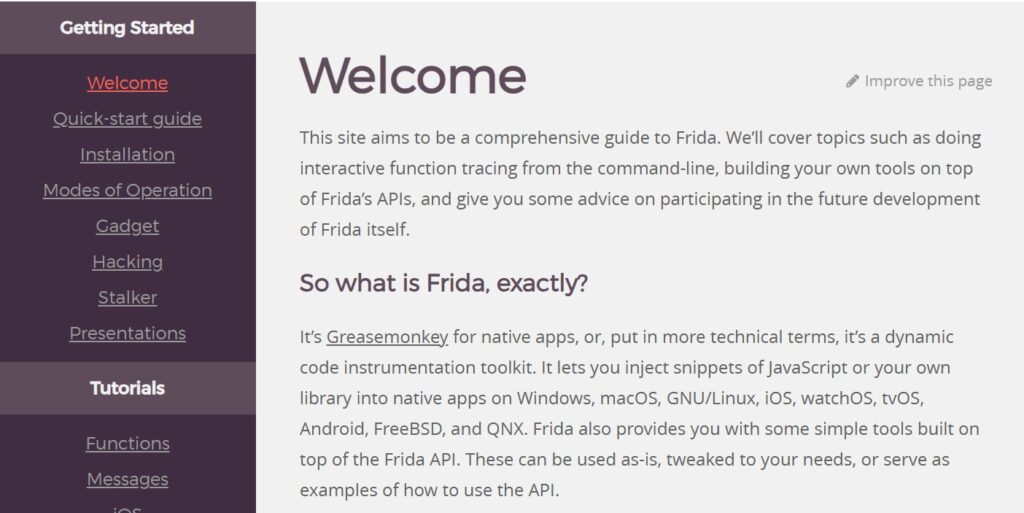
Straight from Frida’s own documentation: it’s a dynamic instrumentation toolkit that lets you inject JavaScript into native apps across Android, iOS, Windows, macOS, Linux, and more. That cross-platform reach is a big part of why it became the go-to tool for runtime security testing.
What “hooking” really means (the analogy that made it click for me)
When I first heard “hooking,” it sounded far more mystical than it is. Here’s the picture that finally made it land.
Imagine a doorway with a security guard. Without a guard, people walk straight through — that’s a normal function call, input goes in, output comes out, nobody’s watching. Now place a guard at that door. Every person who passes gets checked. The guard can inspect them, let them through unchanged, modify what they’re carrying, or block them entirely.
Hooking puts you at that doorway, inside the app. When a function runs, you intercept it. You can read its inputs, watch its output, or change the return value entirely. That last part is the powerful bit — a hook isn’t just a camera, it’s a switch.
How Frida works under the hood
Once you understand the pieces, the rest stops feeling like magic.
Frida attaches itself to a running app’s process and injects scripts written in JavaScript — which, if you already know a little JS, makes the learning curve far gentler than people expect. Those scripts hook into the app’s methods, and from there you can log what’s happening or actively modify it as the app runs.
The thing that makes it special compared to a plain debugger: Frida works entirely at runtime, it doesn’t need the app’s source code, and it lets you change behaviour on the fly, not just observe it. A debugger mostly lets you watch and pause. Frida lets you watch, pause, and rewrite — while the app is live.
On Android specifically, this runs on a client-server model. A small program called Frida server runs on the device itself, and your computer connects to it to inject scripts and control the app. Without that server running on the device, your computer has no way to reach inside the app — so if you’re ever stuck wondering why nothing’s connecting, that’s the first thing to check.
📌 Worth knowing: Frida server must be running on the device itself for your computer to reach inside the app. If nothing connects, that’s the first thing to check — no server, no connection.
Watch: Frida Hooking in Action
The demo above shows Frida hooking a real app step by step. If you learn better by watching, start there — then come back for the detailed workflow and defensive side below.
Why runtime testing matters so much
Here’s the insight that took me a while to fully appreciate: a huge number of vulnerabilities simply don’t exist on paper. They only appear when the app runs.
You can read an app’s code all day and miss a logic flaw that becomes obvious the moment you watch the app handle a real request. Security checks that look bulletproof in source can often be bypassed at runtime. Sensitive data that’s “encrypted” might sit in memory as plain text for a few critical milliseconds. Static analysis can’t show you any of that — runtime instrumentation can.
This is exactly why client-side security is such a trap. If a check happens on the device, someone with Frida can watch it, understand it, and bypass it. That’s not a Frida problem — it’s a reminder that real enforcement has to live somewhere the user can’t reach, which ties directly into solid API and backend security practices. The app on the phone should never be the final word on anything that matters.
⚠️ Developer warning: Never rely on client-side security checks. If a check runs on the device, someone with Frida can watch it, understand it, and bypass it. Real enforcement has to live on a server the user can’t reach.
What testers actually use Frida for
In real mobile penetration testing, a few uses come up again and again.
Testing authentication logic.
Many apps lean too heavily on client-side checks. Frida lets you verify whether login validation is genuinely secure or just for show, and whether tokens are handled properly. If an app’s “you must be logged in” check happens on the device, Frida will find out fast — which is the same class of weakness behind a lot of authentication and token mistakes I’ve seen in the wild.
Monitoring API calls.
Apps constantly talk to backend servers, and Frida lets you watch those requests live — the parameters, the headers, even hidden endpoints the developer never documented. It’s often the fastest way to understand how an app really communicates.
Analysing sensitive data handling.
You can watch how passwords get processed and whether data is actually encrypted before it leaves the device, rather than taking the documentation’s word for it.
Debugging weird behavior.
Crashes, unexpected logic, hidden feature flags — Frida helps you understand what’s really happening inside, not what’s supposed to happen.
A simplified, ethical testing workflow
If you’re starting out, here’s the shape of a typical session — and I’ll stress ethical because it matters.
You set up your environment (Frida tools on your machine, a prepared Android device or, better, a real test device). You start Frida server on the device and confirm the connection. You pick your target app and attach Frida to its process. Then you write a script — even a simple one that hooks a single function, logs its output, and maybe tweaks a return value teaches you a lot. You observe the behaviour in your logs, analyse what you’re seeing, and document your findings.
⚠️ This matters: Only ever test apps you own or are explicitly authorised to test. Frida is a legitimate security-testing tool, but pointing it at someone else’s app without permission crosses a legal line. The skill is valuable precisely because it’s used responsibly.
The cat-and-mouse game: Frida detection
As powerful as Frida is, app developers don’t just sit back and accept it. Modern apps — especially banking and high-security ones — actively try to detect it.
Frida detection means an app checking whether Frida is running against it. Apps look for telltale signs: known Frida processes, the default ports Frida uses, or suspicious patterns in memory. When they spot one, you often get that familiar “Hooking application detected” message and the app refuses to run.
On the defensive side, developers strengthen this with integrity checks, debug detection, and runtime monitoring. And here’s the honest framing: from a defender’s perspective, the goal isn’t to “remove” detection — it’s to improve it. Better detection accuracy, fewer false positives, stronger runtime protections. This is where tools like RASP (runtime application self-protection) come in, watching the app from the inside and reacting when something tries to tamper with it.
Mistakes I see beginners make constantly
A few patterns come up so often they’re almost a rite of passage.
The biggest one is treating Frida as magic — expecting it to find vulnerabilities automatically. It won’t. Frida is a precision instrument; you still have to understand the app’s logic and write correct scripts. It amplifies your skill, it doesn’t replace it.
Close behind is skipping the fundamentals. Without a grasp of Android architecture and basic Java, Frida feels impossibly confusing. The tool isn’t the hard part — the platform underneath it is.
Then there’s over-relying on emulators. Real devices behave differently, and testing only on an emulator will quietly hide real issues. And finally, ignoring security context — Frida is a tool, not a methodology. Without actual security knowledge guiding you, you’re just poking at functions without knowing what you’re looking for.
Practical advice, depending on who you are
If you’re a security tester:
combine Frida with static analysis — they cover each other’s blind spots. Test on real devices. And focus on understanding an app’s logic, not just mechanically bypassing controls; the understanding is what makes you good.
✅ Pro tip: Combine Frida with static analysis — they cover each other’s blind spots. Static shows you the code; Frida shows you what it actually does at runtime. Together they catch what either alone would miss.
If you’re a developer:
never rely on client-side security, implement strong backend validation, and add runtime protections. Assume someone like me is going to watch your app run — because eventually, someone will. This whole mindset overlaps heavily with how attackers reverse engineer apps in the first place; understanding both sides is what lets you defend properly.
If you run an organisation:
make mobile penetration testing routine, not a one-off. Train your team on modern runtime threats, and treat security as layers rather than a single wall.
The bottom line
Frida hooking explained in one line: it shifts the focus from what the code says to what the app does — and that gap is where most real vulnerabilities live. It’s one of the most powerful techniques in modern Android security testing.
The core truth is simple: if someone can control the runtime environment, they can influence how the app behaves. That’s not a reason for despair; it’s the reason secure apps are built with secure coding, strong backend validation, and runtime protection working together. No single layer is enough.
Understanding Frida isn’t just an attacker’s skill — it’s essential for developers, testers, and security teams who want to build apps that hold up in the real world, not just on paper. Watch your own app run the way a tester would. You’ll learn more in an hour of hooking than in a week of reading code.
Frequently asked questions
What is Frida on Android?
Frida hooking explained simply: Frida is a dynamic instrumentation toolkit that lets you analyse and modify Android apps at runtime. It allows testers to interact with an app’s behaviour without needing its source code.
What is hooking in Android?
Hooking means intercepting a function call inside an app to observe or modify its behaviour. It’s widely used in security testing to understand how an app really processes data.
How does Frida work?
Frida injects JavaScript-based scripts into a running app and interacts with its functions in real time, using a client-server model with Frida server running on the device.
What is Frida detection?
Frida detection refers to techniques apps use to identify whether Frida is running against them — checking processes, known ports, or memory patterns — so they can resist runtime manipulation.
Is Frida only for Android?
No. Frida supports multiple platforms including Android, iOS, Windows, Linux, and macOS — but it’s especially popular for mobile app security testing.
What does “hooking framework” mean?
A hooking framework is a tool that allows interception and modification of an app’s behaviour. Frida is one of the most powerful and flexible hooking frameworks available today.
Want to go deeper? Explore our guides on how hackers reverse engineer apps with Ghidra, Frida vs Xposed, and RASP tools.

Abdul Shakoor writes practical, defensive cybersecurity and networking guides for SentrixHub. He focuses on making API security, mobile app security, authentication, and network concepts simple for beginners and developers.