
By Abdul Shakoor · SentrixHub
Security scanners are usually the first tool a developer or security team reaches for. They promise fast results, automated vulnerability detection, and a comforting sense that someone is watching the walls. Point a tool like BScanner at your application, wait a few minutes, and out comes a neat report of everything that’s wrong.
But there’s an uncomfortable question hiding underneath that convenience: is the scanner actually making your system safer, or just handing you a false sense of security? The honest answer is that automated scanners are genuinely useful and quietly dangerous at the same time — and knowing exactly where each is true is what separates people who use these tools well from people who trust them blindly. Let’s walk through what BScanner and tools like it really do, where they shine, and where they let you down.
What BScanner actually is
BScanner is an automated security scanning tool built to find weaknesses in applications, networks, and APIs. In plain terms, it sends a large number of automated requests at a target and studies the responses, looking for signs of known vulnerabilities. Think of it as a digital inspector that walks around your building trying every door and window before an attacker does.
It sits in the same family as web application scanners, network vulnerability scanners, and API security scanners. The category matters more than the specific brand name: whether it’s BScanner or any comparable tool, they all work on the same principle — automate the boring, repetitive probing that a human tester would otherwise do by hand, and do it fast.
How security scanners work, step by step
Understanding the mechanics is the key to judging whether a scanner’s output can be trusted.
First comes target identification — the scanner maps out what it’s looking at: IP addresses, URLs, API endpoints, and open ports. Then enumeration, where it gathers details like software versions, server headers, and available endpoints. This stage is essentially reconnaissance, and it’s nearly identical to what an attacker does in the opening moves of an assault — the same information-gathering that tools used to reverse engineer apps rely on.
Next is payload injection: the scanner fires test inputs at the target — SQL injection strings, cross-site scripting payloads, malformed requests — to see how the application reacts. It then moves to response analysis, examining error messages, response codes, and timing differences to decide whether a weakness is present. Finally, reporting pulls it all together into a list of findings with severity ratings and suggested fixes.
To put it concretely: if BScanner finds a login form, it might inject SQL payloads to test whether authentication can be bypassed, then flag the result. That’s the whole loop — crawl, probe, analyze, report — repeated across every input it can find.
Watch: How Security Scanners Work
If seeing a scanner in action helps, the video above walks through how automated vulnerability scanning works in practice. Even if it demonstrates a different tool than BScanner, the underlying process — crawl, probe, analyze, report — is exactly the same across all scanners.
Safe or dangerous? Honestly, both
Here’s the part most tool guides skip. A scanner isn’t inherently good or bad; its safety depends entirely on how, where, and by whom it’s run.
⚠️ The risk that hides: False positives waste your time chasing ghosts, but false negatives are worse and quieter — a real vulnerability slips through undetected, leaving you confidently insecure. A clean scan report is not the same as a secure system.
When scanners are safe, they’re run in controlled environments, configured thoughtfully, and operated by someone who understands the output. Used that way, they detect vulnerabilities early, strengthen your security posture, and save enormous amounts of time.
When scanners become dangerous, it’s usually because they’re pointed at production systems without caution, run by someone who can’t interpret the results, or configured too aggressively. In those cases they can crash applications, trigger security alerts and defensive systems, and even cause data corruption. The very same tool that protects a staging environment can knock over a live one.
How a Security Scanner Works
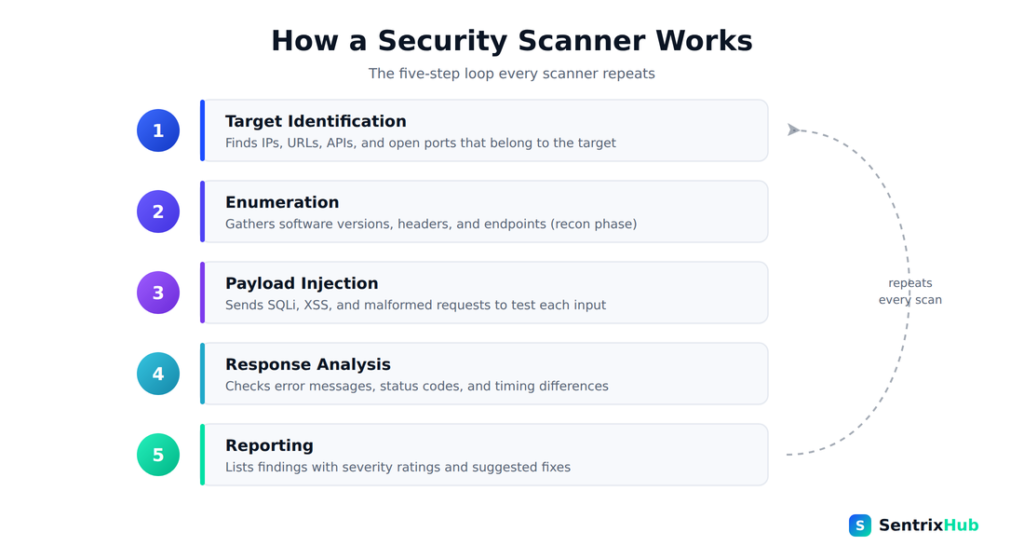
Every scanner, whatever the brand, repeats the same five-step loop — from finding targets to producing a report. Understanding this flow is what lets you judge whether the output can be trusted.
The real risks worth knowing
Beyond crashing systems, scanners carry subtler risks that catch people out.
✅ Scan safely, always: Test in staging before you ever touch production, tune the scan intensity to the target, validate every meaningful finding by hand, and never scan anything you don’t own or have permission to test. Discipline — not the tool — is what keeps scanning safe.
False positives are the classic frustration — the scanner reports vulnerabilities that don’t actually exist, and your team burns hours chasing ghosts. False negatives are worse and quieter: real vulnerabilities slip through undetected, leaving you confidently insecure.
Because automated tools lack context, they don’t understand your business logic or how your application is really meant to behave, so they miss entire classes of flaws. Heavy scans also carry a performance cost, slowing servers or causing downtime. There are legal and ethical risks too — scanning systems you don’t own or have permission to test can be illegal and will often trip defensive alarms. And finally, the uncomfortable truth of misuse: the exact tools defenders use are the same ones attackers use, because reconnaissance looks the same whether the intent is good or bad.
Why this matters across modern security
The deeper lesson is that automation alone was never going to be enough. Modern threats involve complex attack chains, subtle logic flaws, and API abuse that no automated payload can reliably catch. A scanner covers part of the picture — an important part — but only a part.
This is especially clear in API security. Scanners can spot missing authentication, injection flaws, and rate-limiting gaps, which is genuinely valuable. But they struggle badly with business-logic vulnerabilities and broken authorization — the kinds of issues that require a human to reason about intent, and which OWASP’s API Security Top 10 repeatedly stresses need manual review. That’s exactly why layered API and firewall security treats scanner output as one input among many, not the final word.
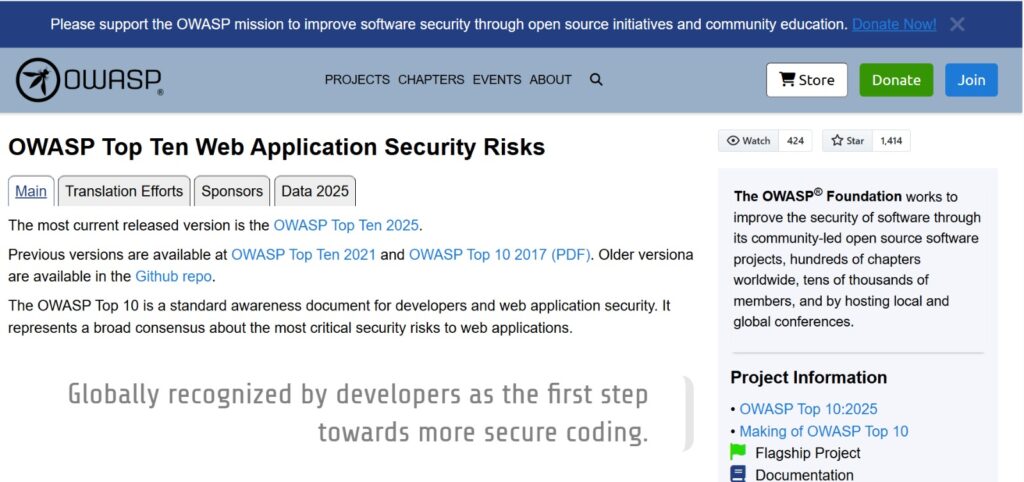
Scanners and the OWASP Top 10
Mobile app security shows the same gap. Because mobile apps lean heavily on backend APIs, scanners can analyze those endpoints and test responses — but they routinely miss client-side vulnerabilities and runtime manipulation, the sort of thing that a RASP tool is designed to catch at execution time rather than during a scan.
A tale of two use cases
The same tool tells two very different stories depending on who’s holding it. In the ethical case, a company runs BScanner against its own application, discovers a SQL injection flaw, patches it, and prevents a breach — textbook defensive security. In the malicious case, an attacker scans a public website, finds an exposed endpoint, and exploits it. The scan is identical; only the intent and authorization differ. That symmetry is precisely why “can scanners be dangerous?” is a fair question — the technology is neutral, the hand guiding it is not.
The mistakes developers keep making
Most scanner failures trace back to human habits, not tool limitations. Relying only on automated tools and treating the report as gospel. Dismissing or ignoring warnings because there are too many to triage. Misconfiguring the scanner so the results are inaccurate from the start. Running aggressive scans straight against production without testing them in staging first. And, most fundamentally, not understanding what the tool can and can’t do. A scanner is an instrument, not a verdict.
Using scanners the right way
Safe scanning is mostly discipline. Run scans in a staging environment before you ever touch production. Tune the scan intensity to the target so you don’t overwhelm it. Validate every meaningful finding manually rather than trusting it outright, and cross-check with more than one tool where it matters. Always get explicit permission before scanning anything you don’t own.
Good practice also means combining automated and manual testing, monitoring system performance while scans run, keeping your tools updated, and documenting findings properly so they can actually be acted on. A web application firewall can add another layer, absorbing some of the noise and blocking obvious probes — but it complements careful scanning rather than replacing it. The same input-validation discipline that scanners try to test for is what prevents issues like dangerous validation mistakes in the first place.
Expert habits worth borrowing
A few mindset shifts make all the difference. Treat scanners as assistants, not experts — they help, but they don’t replace human judgment. Focus on context, because security is as much about logic as it is about technical flaws. Use layered testing that combines static analysis, dynamic scanning, and manual penetration testing, so each method covers the others’ blind spots. And stay honest about limitations: a scanner doesn’t understand intent and can’t detect every vulnerability, and pretending otherwise is how gaps go unnoticed.
It’s also worth understanding how scanners fit into the wider vulnerability ecosystem. When a scanner flags an issue, it’s often matching against known vulnerability records — the very CVE, CWE, and CAPEC frameworks that give the industry a shared language for weaknesses and attacks. A finding is far more useful when you can trace it back to what kind of weakness it really is.
The bottom line
📌 The one line to remember: Scanners find vulnerabilities fast, but they also miss serious issues and can be turned against you. Use them wisely, pair them with manual testing, and never mistake a clean report for a secure system. Tools don’t secure systems — people do.
Everything about BScanner points to one honest conclusion: security scanners are powerful, but they are not perfect. They find critical vulnerabilities quickly and lift your security posture — and they also miss serious issues, occasionally cause damage, and can be turned against you by attackers. The answer isn’t to abandon them or to worship them; it’s balance. Use scanners wisely, pair them with manual testing, validate what they tell you, and never mistake a clean report for a secure system.
Because in the end, tools don’t secure systems. People do.
Frequently asked questions
Is BScanner safe to use?
Yes, when used responsibly in controlled environments by someone who understands the results. Misuse — especially running it against production or systems you don’t own — can cause real problems.
How do vulnerability scanners detect threats?
They send test payloads (like SQL injection or XSS strings) at a target and analyze the responses — error messages, status codes, timing — to infer whether a weakness is present.
Are automated scanners reliable?
They’re helpful but not fully reliable. They produce false positives and false negatives and miss context-dependent flaws, so manual testing remains essential.
Can security scanners be dangerous?
Yes. They can cause performance issues or downtime, produce misleading results, and create legal problems if used without permission. The same tools are also used by attackers.
What’s the difference between a security scanner and manual testing?
Scanners automate detection and cover breadth quickly; manual testing provides deeper, context-aware analysis that understands business logic and intent. Strong security uses both.
For related reading, see our guides on API and firewall security, RASP tools, CVE vs CWE vs CAPEC, and how hackers reverse engineer apps.

Abdul Shakoor writes practical, defensive cybersecurity and networking guides for SentrixHub. He focuses on making API security, mobile app security, authentication, and network concepts simple for beginners and developers.