
Modern applications rely heavily on HTTPS and TLS encryption to secure sensitive data. From banking applications and SaaS platforms to enterprise APIs and cloud environments, encrypted communication has become one of the most important layers of modern cybersecurity.
However, many organizations still make dangerous SSL validation mistakes that quietly expose applications to traffic interception attacks, SSL stripping, certificate spoofing, and man-in-the-middle (MITM) attacks.
One major misconception developers often have is believing HTTPS alone automatically guarantees security. In reality, HTTPS protection depends heavily on proper TLS certificate validation. If applications incorrectly trust malicious certificates or bypass verification checks, attackers can still intercept encrypted traffic even while the connection appears secure.
In real enterprise environments, weak SSL validation vulnerabilities are surprisingly common because developers sometimes prioritize application functionality over strict security enforcement. Small insecure shortcuts introduced during testing often become long-term production risks.
This issue affects:
- developers
- system administrators
- SOC teams
- enterprise security engineers
- cybersecurity professionals
- mobile app developers
because improper TLS validation can completely break the trust model HTTPS depends on.
To better understand related mobile application security concepts, you can also explore:
How Hackers Reverse Engineer Apps
What SSL Validation Actually Does
SSL/TLS validation ensures that applications communicate with legitimate servers instead of attacker-controlled systems.
When a client connects to an HTTPS website or API, the server presents an SSL/TLS certificate. The application must then verify whether the certificate can actually be trusted.
This validation process includes:
- checking CA trust chains
- verifying digital signatures
- validating certificate expiration dates
- checking revoked certificates
- confirming hostname verification
- validating certificate ownership
If any of these checks fail, the connection should be rejected.
Without proper validation, attackers can inject malicious certificates and intercept encrypted traffic while users believe communication remains secure.
How TLS Certificate Verification Works
TLS verification follows a trust-based validation flow.
TLS Handshake Basics
During the TLS handshake:
- Client connects to server
- Server presents certificate
- Client validates certificate
- Encryption keys are negotiated
- Secure communication begins
This process appears simple, but modern TLS validation involves multiple security checks happening simultaneously.
Enterprise proxy environments often complicate this process because SSL inspection appliances inject proxy certificates into encrypted traffic streams.
In real-world deployments, internal security appliances frequently become the reason older applications suddenly start displaying SSL certificate validation errors after SSL inspection is enabled.
Common SSL Validation Mistakes Developers Make
Disabling Certificate Validation During Testing
One of the most common SSL validation mistakes occurs during development testing.
Developers often disable TLS verification temporarily while:
- debugging APIs
- using self-signed certificates
- troubleshooting proxy environments
- testing mobile applications
- fixing certificate trust errors
For example:
curl -k https://example.com
or:
CURLOPT_SSL_VERIFYPEER => false
These insecure configurations bypass certificate verification completely.
Real-World Developer Mistake That Often Reaches Production
In real development environments, developers sometimes disable SSL verification temporarily while troubleshooting internal APIs, staging servers, or self-signed certificate issues. The problem is that these insecure changes are occasionally forgotten before deployment.
Security teams frequently discover production applications still using disabled TLS verification months later because the application continued functioning normally and nobody re-enabled proper validation checks.
In several enterprise security assessments, insecure TrustManagers, disabled hostname verification, and cURL verification bypass settings were found inside production mobile applications simply because they were originally added for “temporary testing.”
This is one of the biggest reasons weak SSL validation vulnerabilities still appear in modern applications. In many cases, the root problem is not advanced attacker sophistication but insecure development shortcuts that quietly remain inside production code.
In many real-world troubleshooting situations, developers are usually under pressure to restore application functionality quickly. When certificate validation errors start blocking internal APIs or enterprise applications, insecure temporary fixes often become permanent because the application “starts working again.” Unfortunately, attackers depend heavily on these forgotten shortcuts because they quietly weaken HTTPS protections without immediately breaking functionality.
Ignoring Hostname Verification
Another dangerous mistake involves improper hostname verification.
Some applications verify certificate signatures but fail to confirm whether:
- the certificate belongs to the correct domain
- the hostname matches certificate CN/SAN values
This allows attackers to use otherwise valid certificates during interception attacks.
Trusting Self-Signed Certificates Improperly
Self-signed certificates are common in internal enterprise environments.
Unfortunately, many organizations respond by:
- globally trusting all certificates
- disabling validation warnings
- bypassing verification checks entirely
Why Ignoring Certificate Warnings Becomes Dangerous
One overlooked security problem is that repeated self-signed certificate warnings gradually train users to ignore browser security alerts completely.
In many internal enterprise environments, employees become used to clicking “Proceed Anyway” because internally hosted tools frequently use self-signed or improperly configured certificates.
Over time, this creates dangerous user behavior where real malicious certificate warnings are ignored the same way. Attackers rely heavily on this kind of warning fatigue during traffic interception attacks.
Once users stop treating certificate warnings seriously, man-in-the-middle attacks become much easier to execute successfully.
Repeated certificate warnings often train users to ignore dangerous browser security alerts.

Attackers frequently exploit warning fatigue because users become accustomed to bypassing certificate validation messages in insecure environments.
Why Improper Certificate Validation Is Dangerous
Weak SSL validation vulnerabilities break the entire security model HTTPS relies on.
Attackers can:
- intercept sensitive traffic
- steal authentication tokens
- capture credentials
- manipulate API responses
- inject malicious content
- hijack sessions
This becomes especially dangerous in:
- public Wi-Fi environments
- enterprise proxy environments
- banking applications
- mobile apps
- cloud APIs
- SaaS platforms
How Attackers Exploit Weak SSL Validation
Attackers commonly abuse improper TLS validation using MITM interception techniques.
Typical MITM Attack Workflow
- Victim connects to insecure network
- Attacker positions themselves between client and server
- Malicious certificate is presented
- Application improperly trusts certificate
- Traffic becomes readable
- Sensitive data is intercepted
The following visual demonstrates how attackers position themselves between users and servers during traffic interception attacks when applications fail to validate SSL/TLS certificates properly.
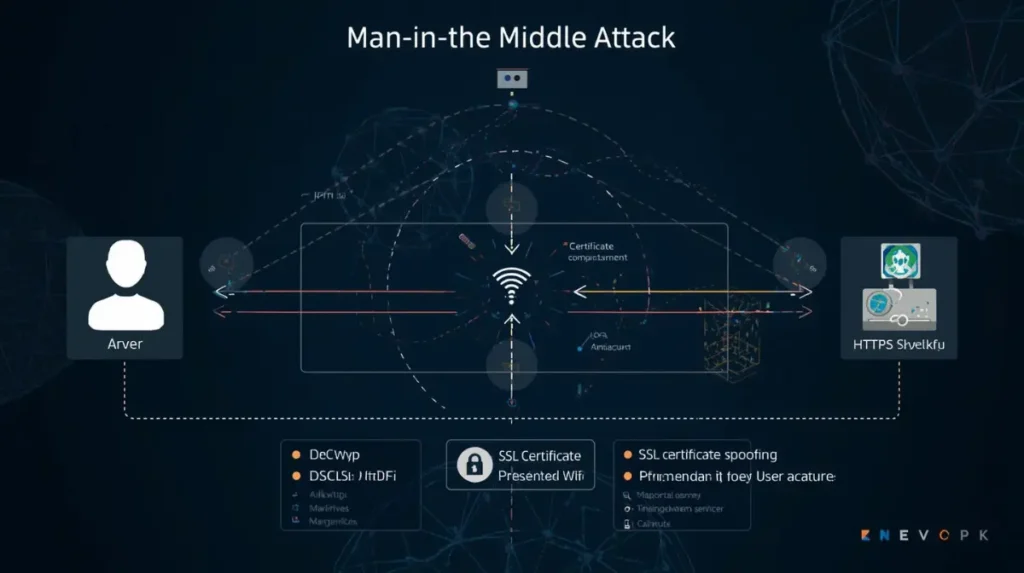
Even when HTTPS appears active, weak TLS validation logic may still allow malicious certificates to be trusted during interception attacks.
Practical MITM Scenario on Public Wi-Fi
One of the most realistic man-in-the-middle attack scenarios still occurs on public Wi-Fi networks inside airports, hotels, restaurants, and shopping malls.
Attackers may create fake Wi-Fi hotspots or clone legitimate network names to trick users into connecting. Once connected, poorly secured applications with weak SSL validation may silently trust malicious certificates, allowing attackers to intercept encrypted traffic.
In real-world environments, attackers often abuse fake captive portals or rogue access points to manipulate traffic before HTTPS protections fully activate. Applications that ignore certificate warnings or improperly validate TLS connections become especially vulnerable in these situations.
Mobile banking apps, outdated enterprise software, and internally developed applications are common targets because many still contain insecure HTTPS implementation mistakes.
To understand how attackers abuse insecure wireless environments, you can also read:
Can Hackers Really Exploit Enterprise WiFi?
One important observation security professionals repeatedly encounter is that attackers usually do not need highly advanced hacking tools when users voluntarily connect to untrusted networks and applications already contain weak TLS validation logic. In many cases, interception becomes possible simply because applications trust certificates they should never trust in the first place.
Understanding SSL validation problems becomes much easier when you see how traffic interception attacks work in real network environments. The following video demonstrates how attackers can manipulate insecure HTTPS implementations, downgrade connections, and intercept traffic during man-in-the-middle attacks. It also highlights why proper TLS certificate validation, HSTS enforcement, and secure HTTPS implementation are critical for preventing interception risks in modern applications.
One important thing many developers underestimate is that attackers often do not need highly sophisticated malware to intercept traffic successfully. In many real-world situations, weak SSL validation logic, missing HSTS protections, or insecure certificate handling already create enough exposure for interception attacks to succeed. This is especially dangerous in public Wi-Fi environments, legacy enterprise systems, and internally developed applications where insecure HTTPS implementations frequently remain unnoticed for long periods.
SSL Stripping Attacks Explained
SSL stripping attacks downgrade secure HTTPS traffic into insecure HTTP communication.
Attackers intercept HTTPS redirect requests and replace them with insecure HTTP responses before encryption protections fully activate.
According to:
CyberArk’s SSL stripping analysis
SSL stripping still remains dangerous in poorly configured environments.
How SSL Stripping Downgrades HTTPS Connections
SSL stripping attacks work by downgrading secure HTTPS communication into insecure HTTP traffic before encryption protections fully activate.
In poorly configured environments lacking HSTS enforcement, attackers positioned between the client and server can intercept HTTPS redirect requests and replace them with insecure HTTP responses.
The victim may continue browsing normally without realizing the connection is no longer encrypted.
Although modern browsers have improved HTTPS protections significantly, SSL stripping can still succeed against outdated applications, insecure websites, and improperly configured environments.
SSL stripping attacks downgrade secure HTTPS communication into insecure HTTP traffic before encryption protections fully activate.
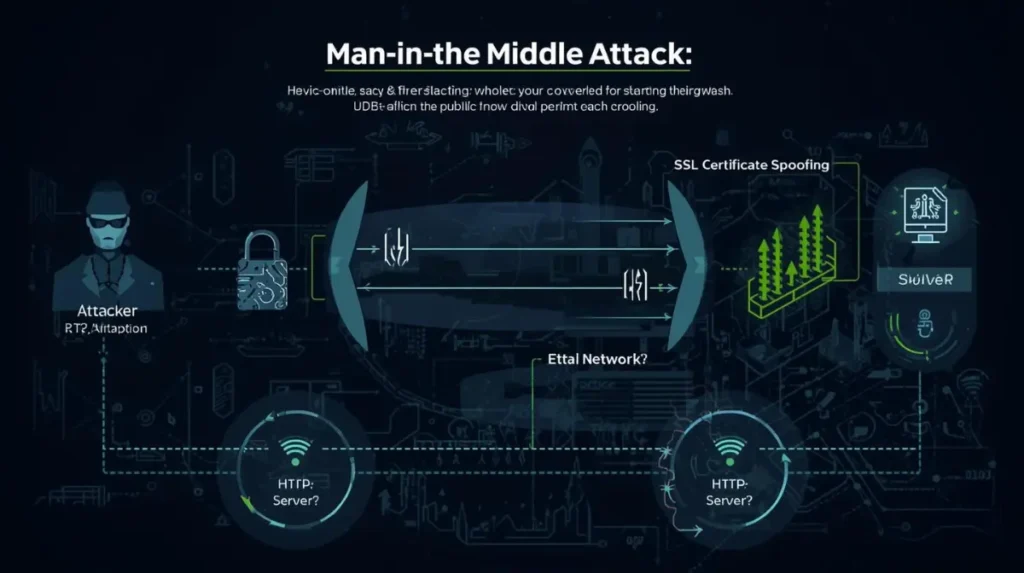
Without HSTS enforcement, attackers may manipulate redirects and intercept traffic before secure HTTPS protections fully establish trusted encrypted communication.
What Changes Occur in HTTP Headers During SSL Stripping
During SSL stripping:
- HTTPS redirects may be removed
- secure cookie protections may disappear
- HSTS headers may be blocked
- insecure HTTP responses may replace encrypted traffic
This allows attackers to manipulate traffic before TLS protections activate fully.
Does SSL Stripping Still Work?
Many people ask:
Does SSL stripping still work?
Yes, but mostly in:
- poorly configured websites
- outdated applications
- insecure internal portals
- environments lacking HSTS enforcement
Modern browsers reduce SSL stripping risks significantly, but downgrade attacks still appear in real-world environments.
Role of HSTS in Preventing Interception
HTTP Strict Transport Security (HSTS) forces browsers to always use HTTPS connections.
Without HSTS:
- attackers can downgrade traffic
- HTTP redirects become vulnerable
- SSL stripping risks increase
Real Impact of Missing HSTS Protection
Without HSTS enforcement, attackers may successfully downgrade initial HTTPS requests into insecure HTTP communication during SSL stripping attacks.
Many organizations incorrectly assume HTTPS alone fully protects traffic interception risks, but without strict transport enforcement, downgrade attacks can still occur in certain scenarios.
Security researchers still encounter internal portals, enterprise dashboards, and legacy applications operating without proper HSTS configuration, leaving them unnecessarily exposed to interception risks.
A common enterprise misconception is believing HTTPS automatically eliminates interception risks. In practice, weak HSTS deployment, outdated applications, and insecure redirect configurations still create downgrade opportunities in real environments, especially during initial connection attempts.
TLS Interception in Enterprise Environments
Enterprise environments commonly use SSL interception technologies for:
- malware inspection
- DLP analysis
- threat detection
- compliance monitoring
- content filtering
These systems decrypt encrypted traffic using:
- proxy certificates
- SSL inspection appliances
- secure web gateways
What Is the Most Common Reason for a Certificate Error if Full SSL Inspection Is Enabled on a Windows Application?
The most common reason is:
broken certificate trust chains.
Older Windows applications frequently fail under SSL inspection because:
- outdated TLS libraries cannot trust enterprise proxy certificates
- root certificates are missing
- hostname verification fails
- legacy TLS implementations behave unpredictably
How Enterprise SSL Inspection Creates Unexpected Certificate Problems
In many enterprise environments, SSL inspection appliances decrypt HTTPS traffic for malware analysis, policy enforcement, and threat monitoring. However, these systems frequently introduce operational problems when applications cannot properly handle injected proxy certificates.
Older Windows applications are especially known for breaking under full SSL inspection because outdated TLS libraries fail to trust enterprise proxy certificates correctly.
Security teams often encounter situations where internal applications suddenly display certificate errors after firewall SSL inspection is enabled. Developers may then implement insecure workarounds such as disabling verification entirely just to restore application functionality.
This creates a dangerous situation where visibility tools designed to improve security accidentally encourage insecure TLS validation behavior.
For broader enterprise security visibility concepts, you can also explore:
How Firewalls Protect Networks
Enterprise SSL inspection appliances help organizations monitor encrypted traffic, but they can also introduce certificate trust problems in legacy applications.

Older enterprise applications frequently break during SSL inspection because outdated TLS libraries fail to trust injected proxy certificates correctly.
Java SSL Validation Bypass Risks
Java applications are especially known for insecure TLS validation implementations.
Developers sometimes create insecure TrustManagers that trust all certificates.
Example:
TrustManager[] trustAllCerts = new TrustManager[]{
    new X509TrustManager() {
        public java.security.cert.X509Certificate[] getAcceptedIssuers() {
            return null;
        }
        public void checkClientTrusted(
            java.security.cert.X509Certificate[] certs, String authType) {}
        public void checkServerTrusted(
            java.security.cert.X509Certificate[] certs, String authType) {}
    }
};
This effectively disables certificate verification completely.
Common Java and Mobile App SSL Validation Weaknesses
Java applications and Android mobile apps are frequently affected by insecure TLS validation implementations because developers often customize TrustManagers or disable hostname verification during API testing.
In mobile app penetration testing, it is still common to discover applications accepting invalid certificates or completely skipping hostname validation checks.
Some applications properly validate certificate signatures but fail to verify whether the certificate actually belongs to the intended hostname. This allows attackers to abuse otherwise valid certificates during interception attacks.
These issues become especially dangerous in enterprise mobile environments where applications interact with internal APIs, proxies, and SSL inspection appliances.
Related mobile security insights:
How Hackers Reverse Engineer Apps
Mobile application assessments frequently reveal developers focusing heavily on API functionality while underestimating how dangerous weak hostname verification can become. Even when HTTPS appears enabled, improper validation logic may still allow intercepted connections to look completely legitimate to the application.
Security Risks of Disabling cURL Verification
Developers sometimes disable cURL SSL verification to bypass certificate problems quickly.
Why Disabling cURL SSL Verification Is Extremely Dangerous
While this may temporarily solve testing issues, it completely disables certificate trust validation and allows intercepted connections to appear legitimate.
Attackers exploiting weak network environments can abuse these insecure settings to capture:
- credentials
- session tokens
- API requests
- sensitive enterprise traffic
Security audits regularly identify insecure cURL verification bypasses inside production applications.
Disabling certificate verification during testing may appear harmless, but these insecure shortcuts often become long-term production risks.

Security audits frequently uncover insecure cURL verification bypass settings inside production applications that silently weaken HTTPS protections.
Certificate Pinning Mistakes
Certificate pinning improves HTTPS security by restricting trusted certificates.
However, poor implementation can create operational failures.
How Certificate Pinning Mistakes Break Security
In some enterprise environments, mobile applications completely fail behind corporate SSL inspection appliances because pinned certificates reject trusted enterprise proxy certificates.
Developers may then disable certificate pinning entirely to restore connectivity, unintentionally removing important MITM protections.
Incorrect backup pins, expired pinned certificates, and poor certificate rotation planning are also common reasons enterprise applications experience unexpected outages.
Additional API and application security concepts:
How Firewall or API Security Works
Risks of Ignoring Expired or Revoked Certificates
Some applications improperly ignore:
- expired certificates
- revoked certificates
- trust chain failures
This creates opportunities for attackers to use compromised certificates during interception attacks.
Security monitoring teams regularly discover outdated enterprise applications still trusting certificates that should no longer be valid.
How Encryption Technologies Like SSL/TLS Mitigate Traffic Interception Risks
Proper SSL/TLS implementation helps:
- encrypt communication
- validate server identity
- prevent tampering
- secure APIs
- protect credentials
However, encryption alone is not enough.
Without proper certificate validation:
- malicious certificates may be trusted
- MITM attacks remain possible
- HTTPS protections become unreliable
HTTPS Security Best Practices
To reduce SSL/TLS misconfiguration risks:
Recommended Best Practices
- Always validate certificates properly
- Enable hostname verification
- Use HSTS enforcement
- Avoid disabling verification
- Rotate certificates properly
- Monitor certificate expiration
- Audit mobile applications
- Review TLS libraries regularly
- Remove insecure testing code
- Monitor SSL inspection environments
- Validate enterprise trust chains
Security teams should also monitor for:
- weak TLS validation
- insecure cURL settings
- insecure TrustManagers
- broken certificate pinning
- SSL stripping exposure
Useful external references:
Sourcery – Improper Certificate Validation
Gopher Security – TLS Inspection Risks
WebsitePulse – MITM & SSL Monitoring
Key Security Insight Most Organizations Learn Too Late
One important reality security professionals repeatedly observe is that most SSL validation vulnerabilities do not originate from highly sophisticated attackers.
Instead, they usually come from:
- insecure shortcuts
- weak development practices
- temporary testing bypasses
- broken trust chains
- ignored certificate warnings
- operational workarounds
Over time, these small compromises silently weaken HTTPS protections until applications become vulnerable to:
- traffic interception
- MITM attacks
- certificate spoofing
- session hijacking
Strong TLS security depends not only on encryption strength but also on maintaining strict certificate validation discipline across development, testing, deployment, and enterprise operations.
Conclusion
Dangerous SSL validation mistakes continue to expose modern applications to traffic interception attacks, MITM attacks, SSL stripping, and certificate spoofing risks.
Many organizations incorrectly assume HTTPS alone guarantees security, but weak TLS validation can silently undermine encrypted communication protections.
From insecure Java TrustManagers and cURL verification bypasses to enterprise SSL inspection issues and certificate pinning failures, these vulnerabilities continue appearing regularly in real-world environments.
As applications become increasingly API-driven, mobile-focused, and cloud-connected, organizations must treat certificate validation as a critical part of modern cybersecurity strategy rather than a secondary implementation detail.
Frequently Asked Questions (FAQs)
What is SSL interception?
SSL interception is the process of decrypting HTTPS traffic using proxies, firewalls, or security appliances for monitoring and inspection purposes.
Does SSL stripping still work?
Yes. SSL stripping can still work in poorly configured environments lacking proper HSTS enforcement.
How to disable SSL interception?
SSL interception can usually be disabled through:
- firewall settings
- secure web gateways
- proxy appliances
- endpoint security policies
However, disabling SSL inspection may reduce organizational visibility into encrypted threats.
What causes SSL certificate errors during inspection?
The most common causes include:
- broken trust chains
- untrusted proxy certificates
- outdated TLS libraries
- hostname verification failures
- incompatible legacy applications
What are the risks of bypassing certificate validation?
Bypassing certificate validation increases exposure to:
- MITM attacks
- traffic interception
- malicious certificates
- credential theft
- API compromise
How does HSTS help prevent SSL stripping?
HSTS forces browsers to always use HTTPS connections and blocks insecure downgrade attempts.
Why are MITM attacks dangerous?
MITM attacks allow attackers to intercept, modify, and steal sensitive information during communication between users and servers.
What are common TLS validation mistakes?
Common TLS validation mistakes include:
- disabling certificate checks
- ignoring hostname verification
- trusting self-signed certificates improperly
- insecure TrustManagers
- weak certificate pinning
- outdated TLS implementations

Abdul Shakoor writes practical, defensive cybersecurity and networking guides for SentrixHub. He focuses on making API security, mobile app security, authentication, and network concepts simple for beginners and developers.