
By Abdul Shakoor
For years, the security mindset was basically “build a strong wall and watch the gate.” Firewalls at the perimeter, a WAF filtering web traffic, encryption on the wire. And for a long time, that was enough. But here’s the uncomfortable truth I’ve watched sink in across the industry: attackers stopped politely knocking at the gate. They learned to attack the application while it’s running — manipulating it from the inside, where the wall can’t see.
That shift is exactly why RASP exists. You can secure your APIs, encrypt every byte of traffic, and stack firewalls three deep — and still be exposed if someone tampers with your app at runtime. RASP (Runtime Application Self-Protection) is the answer to a simple, awkward question: what protects the application when the attacker is already inside the room?
In this guide I’ll walk through what RASP actually is, how it works in mobile apps and APIs, where it fits alongside your other defences, and — just as importantly — where it doesn’t. Because RASP is powerful, but the teams that treat it as a magic fix are the ones who end up disappointed.
What a RASP tool actually is
A RASP tool is a security technology that embeds directly inside an application and protects it from attacks in real time, as they happen.
The mental model I find clearest: a firewall is a guard at the building’s entrance, checking everyone who comes in. RASP is a guard standing inside the room, watching what people actually do once they’re past the door. That difference matters enormously, because the inside guard sees things the entrance guard never can — the application’s logic, the user’s real behaviour, what the code is doing moment to moment.
📌 The key idea: A firewall is a guard at the building’s entrance. RASP is a guard standing inside the room, watching what people actually do once they’re past the door. That “inside” position is what lets RASP see attacks the perimeter never can.
Unlike a firewall, which mostly sees network traffic, RASP understands context. It knows what a normal API call looks like for your specific app, so when something abnormal happens — an injection attempt, an unauthorised access pattern, a tampering attempt — it can recognise it and act, not because a rule somewhere said “block this IP,” but because it understands the request doesn’t make sense in context.
What a RASP tool actually is
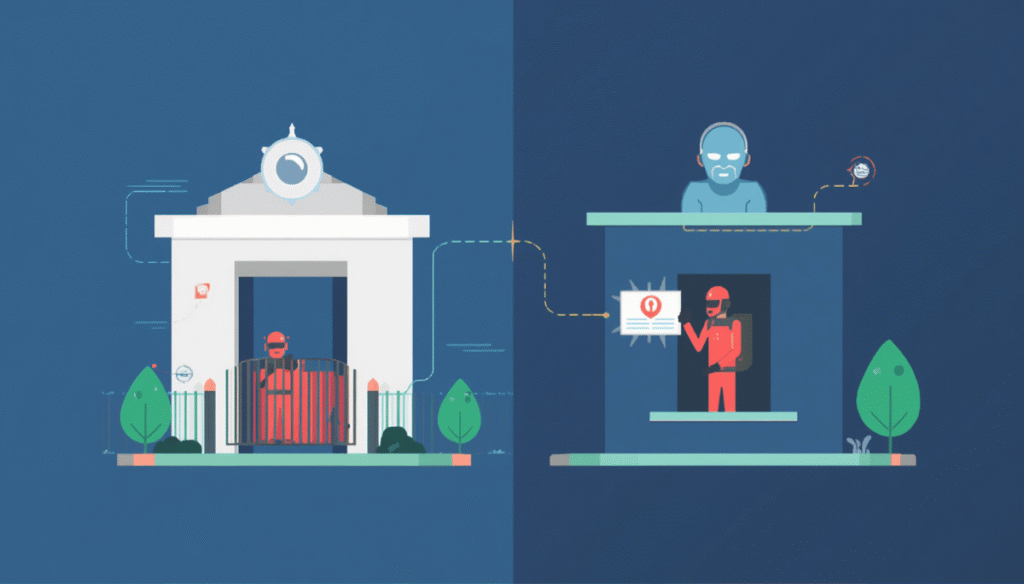
A firewall guards the entrance; RASP stands inside the room. Even when an attacker slips past the perimeter, the inside layer sees what they actually do at runtime — and stops it. That “inside” position is RASP’s whole advantage.
How RASP works, step by step
Once you see the flow, the whole concept clicks.
It gets embedded into the application.
RASP isn’t a separate appliance sitting out on the network — it becomes part of the app’s runtime itself, whether that’s a mobile app, a backend API, or a web application. This is the key architectural difference from everything else in your stack.
It monitors runtime behavior continuously.
Once inside, it watches API calls, user inputs, code execution paths, and even memory behavior. It’s not sampling occasionally; it’s present for everything the app does.
It detects suspicious activity using context.
Drawing on both rules and behavioral analysis, it flags injection attacks, unauthorized access, reverse-engineering attempts, and runtime manipulation. The context is what makes this powerful — it’s not just pattern-matching, it’s understanding intent.
It blocks in real time, not after the fact.
This is the part that separates RASP from monitoring tools. Instead of sending an alert for someone to read later, it can block the malicious request, terminate the session, or stop data from leaking — right then, in the moment.
It logs and reports.
Afterwards, it gives developers detailed insight into the attack type, source, and impact, which is how your security genuinely improves over time rather than just surviving one incident.
Watch: How RASP Works in Action
The video above explains RASP visually — useful if you want to see how it differs from a firewall or WAF before diving into the details below.
Why perimeter security alone stopped being enough
Here’s the core problem, and it’s worth sitting with for a second.
Firewalls and WAFs are built to look outward — at network traffic and external threats crossing a boundary. That’s valuable, and you should absolutely keep them. But modern attackers have learned to slip past those boundaries and then exploit the application’s logic from within, using runtime manipulation that a perimeter tool simply cannot see. The firewall is watching the door while the attack happens in a room it has no window into.
RASP solves this by living inside the application. It sees what the app is actually doing, understands the context of each action, and reacts instantly. It’s not a replacement for your perimeter — it’s the layer that finally covers the blind spot perimeter tools always had. This is the same defence-in-depth thinking behind solid firewall and network protection: no single layer is enough, and the inside layer is the one most people are missing.
⚠️ The blind spot: Firewalls and WAFs watch the door. But modern attacks happen inside the room — in the application’s own logic, at runtime — where perimeter tools have no window. That gap is exactly what RASP was built to cover.
RASP in API security
APIs are the backbone of nearly every modern application — they handle authentication, payments, and data exchange, which makes them a prime target.
Picture an attacker sending a malicious payload to an API endpoint. Without RASP, that request might sail through to the backend and exploit a vulnerability before anyone notices. With RASP embedded, the request gets analysed in context and the attack is blocked the instant it’s recognised. In practice, RASP protects APIs by detecting injection attacks, preventing token misuse, and blocking abnormal API behaviour that falls outside the app’s normal patterns. It pairs naturally with the broader practices I’ve covered in API and firewall security — RASP is the runtime enforcement layer on top of good API design.
RASP in mobile app security
Mobile apps are, honestly, often the weakest link — and attackers know it. They can reverse engineer an APK, modify the app’s behaviour, or intercept its API calls, all on a device you don’t control.
This is where RASP earns its place on Android and iOS. At runtime it can detect rooted devices, identify emulators, block debugging tools, and prevent tampering. Crucially, it helps resist reverse engineering — detecting code modification, stopping dynamic analysis tools in their tracks, and protecting the sensitive logic attackers most want to reach.
That last point connects directly to something I’ve written about before. Tools like Frida let testers (and attackers) hook into a running app and manipulate it live. RASP is, in many ways, the defensive answer to exactly that class of tool — when something tries to instrument or tamper with the app at runtime, RASP is what notices and responds. If you understand how runtime instrumentation and framework-level hooking work on the attack side, RASP’s value becomes obvious.
Real-world attack scenarios
A few concrete examples make the difference tangible.
API injection.
An attacker tries SQL injection against an API. Without RASP, that’s a potential data breach. With RASP, the malicious request is recognized in context and blocked before it touches the database — the same category of risk as an unrestricted file upload flaw, where unchecked input becomes the entry point.
Mobile app tampering.
A hacker modifies an APK to bypass payment checks. Without protection, that’s fraud. With RASP, the app detects it’s been tampered with and shuts the behavior down.
Runtime exploitation.
Attackers use a tool like Frida to intercept API traffic live. Without RASP, that traffic is exposed. With RASP, the runtime manipulation is detected and stopped.
| Attack | Without RASP | With RASP |
| API injection | Possible data breach | Blocked in real time |
| Mobile app tampering | Fraud possible | App detects & shuts down |
| Mobile app tampering | Traffic intercepted | Manipulation detected |
RASP vs WAF vs firewall
People mix these up constantly, so here’s the clean distinction:
A firewall protects the network — it controls what traffic is allowed in and out. A WAF (Web Application Firewall) sits in front of your app and filters HTTP traffic for known-bad patterns. A RASP tool lives inside the application and protects it from within.
The simplest way to hold it in your head: a WAF works outside the app, looking at traffic heading toward it; RASP works inside the app, watching what actually executes. That inside position gives RASP far deeper visibility — but it’s not a competition. The strongest setups run all three, each covering what the others can’t.
Three Layers, Three Jobs
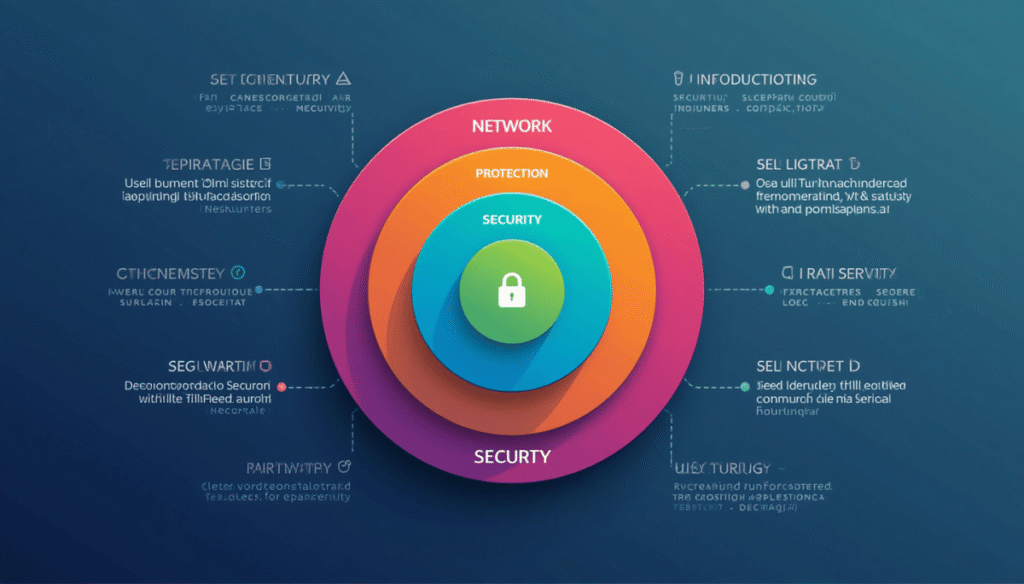
Firewall, WAF, and RASP aren’t competitors — they’re layers. The firewall guards the network, the WAF filters incoming traffic, and RASP protects the application from within. The strongest setups run all three, each covering what the others can’t.
RASP vs WAF vs Firewall: Quick Comparison
| Feature | Firewall | WAF | RASP |
| Protects | Network | HTTP traffic | The application itself |
| Position | Network edge | In front of app | Inside the app |
| Visibility | Traffic only | Requests/responses | App logic + runtime |
| Stops runtime attacks? | No | Partially | Yes |
| Sees app context? | No | Limited | Full |
The takeaway isn’t “which one wins” — it’s that each covers a different layer. Run all three, and you close the gaps any single one leaves open.
The mistakes I see teams make
A few patterns come up repeatedly, and they’re all avoidable.
The biggest is relying only on firewalls. Firewalls are essential, but they cannot see inside application logic — and that’s exactly where modern attacks land. Closely related is ignoring runtime attacks entirely: many teams pour effort into static security checks and never consider what happens to the app while it’s running.
Then there’s poor integration. RASP that’s bolted on carelessly, with rules left at default, protects far less than people assume — implementation quality is everything here. And finally, overlooking mobile: the mobile app is frequently the softest target, yet it’s the layer that gets the least runtime protection.
Putting RASP into practice
If you’re considering RASP, a few principles will save you pain.
Choose the right tool by actually evaluating compatibility with your stack, its performance impact, and its real detection capabilities — not just the marketing claims. Integrate early, during development rather than bolted on after deployment, because retrofitting runtime protection is always harder. Test thoroughly by simulating real attacks, confirming both that detection works and that you’re not drowning in false positives. And combine it with your other layers — WAF, API gateways, authentication systems — so RASP is one strong layer among several, following established guidance like the OWASP API Security principles rather than standing alone.
Beyond setup: monitor continuously, update your rules as attack techniques evolve, protect sensitive data with proper encryption and storage, and keep an eye on performance so your protection isn’t quietly slowing the app to a crawl.
✅ Best practice: Integrate RASP during development, not bolted on after deployment. Retrofitting runtime protection is always harder — and test with simulated attacks to confirm detection works without drowning you in false positives.
A few hard-earned tips
After watching RASP deployed well and badly, a few things stand out.
Don’t treat it as a silver bullet — it’s genuinely powerful, but it is not enough on its own, and the teams that believe otherwise get burned. Focus on application logic, because that’s where most real attacks aim, not at the infrastructure. Test on real devices, especially for mobile, since emulators hide real-world behaviour. And always watch the performance impact — a security layer that frustrates users into leaving has its own kind of cost.
⚠️ Not a magic fix: RASP is powerful, but it is not enough on its own. The teams that treat it as a complete solution get burned. Run it as one strong layer alongside firewalls, WAFs, encryption, and secure coding — defense in depth, not a single tool.
The bottom line
RASP represents a genuine shift in how we think about security: instead of only guarding the perimeter, it protects the application itself, right where attacks actually happen. From API security to mobile app protection, it brings real-time detection, deep contextual visibility, and immediate response to the one place traditional tools were always blind.
In a threat landscape where attackers increasingly exploit runtime behaviour — hooking into live apps, tampering with logic, manipulating execution — RASP has moved from a nice-to-have to something close to essential. Just remember the honest framing: it’s a powerful layer, not a complete answer. Pair it with everything else you’re doing, and it covers the gap that quietly worried you all along.
Frequently asked questions
What is a RASP tool?
A RASP (Runtime Application Self-Protection) tool is a security technology that embeds inside an application and detects and blocks attacks in real time, while the app is running.
How does RASP work in mobile apps?
It monitors the app’s runtime behaviour, detects tampering, rooted devices, debugging tools, or attacks, and blocks malicious actions instantly from inside the app itself.
What’s the difference between RASP and WAF?
A WAF filters traffic from outside the application, before it arrives. RASP works inside the application, watching what actually executes — giving it deeper context and visibility.
Can RASP prevent reverse engineering in Android apps?
It can significantly hinder it — RASP detects and blocks runtime analysis, debugging, and tampering attempts, protecting sensitive logic from tools that instrument live apps.
Is RASP enough for security on its own?
No. RASP is one strong layer, but it should be combined with firewalls, WAFs, encryption, and secure coding. Defence in depth, not a single magic tool.
For more on the attack techniques RASP defends against, explore our guides on Frida hooking, reverse engineering with Ghidra, and the BEAST attack.

Abdul Shakoor writes practical, defensive cybersecurity and networking guides for SentrixHub. He focuses on making API security, mobile app security, authentication, and network concepts simple for beginners and developers.