
Introduction
In some enterprise environments, failover weaknesses remain hidden for months until a maintenance window or unexpected uplink failure exposes unstable redundancy behavior.
Most enterprise outages are not caused by catastrophic hardware destruction.
They usually begin with smaller failures:
- an uplink goes down
- a core switch becomes unstable
- a routing path fails
- a firewall stops forwarding traffic
- a Layer 2 loop disrupts switching behavior
The real problem is not always the failure itself.
The real problem is how quickly the network recovers.
This is where Enterprise Failover becomes critically important.
In modern enterprise environments, network availability directly affects:
- VoIP communication
- cloud applications
- authentication services
- wireless infrastructure
- financial transactions
- remote access systems
- production workloads
Even short interruptions can affect business continuity significantly.
This is why enterprise networks rely heavily on failover mechanisms, redundant infrastructure, alternate paths, and high availability architecture.
One of the most important components inside switching environments is the role of alternate ports.
In many enterprise networks, alternate ports help maintain uptime by allowing traffic to transition rapidly to backup forwarding paths during failures. Without proper failover behavior, organizations may experience:
- prolonged downtime
- unstable topology recalculations
- packet loss
- convergence delays
- service interruptions
In real-world enterprise environments, failover stability is often tested during unexpected uplink failures rather than during normal operation.
And many engineers discover hidden weaknesses only when redundancy mechanisms are forced into action.
💡 Real Enterprise Insight
In some enterprise environments, failover appears successful from a topology perspective while users still experience temporary authentication or application instability during recovery.
What Is Enterprise Failover?
Enterprise Failover refers to the automatic recovery process that allows networks, systems, or applications to continue operating after a failure occurs.
The goal is simple:
maintain availability even when components fail.
In enterprise infrastructure, failover is one of the most important parts of high availability design.
Failover mechanisms help organizations:
- reduce downtime
- maintain connectivity
- protect production traffic
- improve resilience
- support disaster recovery
- minimize operational disruption
Enterprise failover can occur across many infrastructure layers:
- switching
- routing
- firewalls
- servers
- WAN connectivity
- cloud systems
- storage infrastructure
According to enterprise infrastructure reliability discussions from
ScienceDirect, automatic failover systems are designed to maintain operational continuity during infrastructure failures and unexpected service interruptions.
💡 Real Enterprise Insight
In many production environments, the difference between a minor incident and a major outage often depends on how efficiently failover mechanisms respond during infrastructure instability.
What Does Failover Mean in Networking?
👉 What is failover in networking?
Failover in networking refers to the automatic transition from a failed communication path or device to a backup path or standby system.
When a network component becomes unavailable, failover systems redirect traffic through alternative resources to maintain connectivity.
This process may involve:
- backup links
- alternate ports
- redundant switches
- secondary routers
- standby firewalls
- secondary ISPs
- clustered servers
The primary objective is to:
keep services running with minimal interruption.
Enterprise failover architecture is also heavily used in disaster recovery and high availability systems to reduce operational downtime and maintain application accessibility during infrastructure failures, as discussed by
Druva.
Common Networking Failover Examples
| Failover Type | Example |
|---|---|
| Link Failover | Secondary uplink activates after primary link failure |
| Router Failover | HSRP or VRRP standby router becomes active |
| Firewall Failover | Passive firewall takes over traffic inspection |
| ISP Failover | Backup ISP handles internet traffic |
| STP Failover | Alternate port transitions to forwarding state |
| Server Failover | Secondary server node handles application traffic |
🔍 Operational Insight
In enterprise environments, failover quality is usually measured not only by recovery speed but also by how stable the network remains during topology transitions.
💡 Hidden Enterprise Reality
In many environments, backup links remain unused for months, which is why unnoticed configuration drift becomes a common failover risk.
What Is a Failover Port?
👉 What is a failover port?
A failover port is a backup communication interface that becomes active when the primary path fails.
In switching environments, alternate ports often serve this purpose.
Within Rapid Spanning Tree Protocol (RSTP), alternate ports maintain backup Layer 2 paths while remaining ready for immediate forwarding if the active path becomes unavailable.
This behavior significantly improves convergence speed compared to traditional STP.
Alternate Ports in Enterprise Networks
During failover testing, engineers often compare alternate port activation timing across switches to identify hidden topology inconsistencies or unstable Layer 2 recovery behavior.
Alternate ports:
- provide standby forwarding paths
- improve failover recovery
- support network redundancy
- reduce downtime during uplink failure
- help maintain Layer 2 stability
Unlike traditional blocked ports in classic STP, RSTP alternate ports are designed for rapid failover transitions.
💡 Important Practical Difference
Many beginners assume blocked ports and alternate ports behave identically.
In reality:
- traditional STP blocked ports often require longer convergence
- RSTP alternate ports maintain better failover readiness
This is one reason RSTP performs much better in enterprise environments.
If you want deeper understanding of STP behavior, you may also like:
What Are STP Port States in Networking?
and
Why One Switch Port Forwards While Another Blocks
🔍 Hidden Beginner Mistake
Many beginners assume redundancy automatically guarantees stability. In reality, unstable alternate paths may still create failover delays, packet loss, or inconsistent recovery behavior during topology transitions.
Why Enterprise Failover Stability Matters
In many enterprise networks, users often report intermittent slowness or unstable application behavior before engineers identify the actual failover instability affecting traffic paths.
Enterprise failover stability directly affects:
- uptime
- user experience
- application performance
- business continuity
Poor failover behavior may create:
- delayed recovery
- packet loss
- authentication interruptions
- VoIP clipping
- wireless instability
- application timeouts
💡 Real Operational Observation
In many enterprise environments, failover instability becomes visible during uplink failures rather than during normal network operation.
🔍 Performance Observation
Some failover events recover technically within seconds, yet users continue experiencing application instability for much longer because authentication services, wireless sessions, and application connections require additional recovery time.
Real Enterprise Scenario
In production environments, recovery timing is especially important because even short failover interruptions can affect authentication systems, real-time collaboration platforms, and cloud-dependent applications.
Imagine a corporate campus network with:
- redundant distribution switches
- multiple uplinks
- VoIP systems
- cloud applications
- centralized authentication
Suddenly:
- the primary uplink fails
Without efficient failover:
- STP convergence delays occur
- users lose connectivity temporarily
- VoIP calls drop
- wireless sessions disconnect
- applications timeout
However, with properly configured alternate ports and rapid failover mechanisms:
- traffic reroutes quickly
- downtime remains minimal
- business operations continue
This is why enterprise failover architecture matters so much.
How Enterprise Failover Protects Business Continuity

Alternate paths and rapid failover mechanisms help enterprise environments maintain connectivity during unexpected uplink failures.
💡 Real Troubleshooting Insight
During failover incidents, engineers usually verify physical interface stability first before modifying redundancy protocols unnecessarily.
🔍 Live Troubleshooting Reality
During troubleshooting, engineers often discover that failover technically completed successfully while certain VLANs continued experiencing intermittent packet loss because spanning-tree recalculation and upstream routing convergence stabilized at different times.
Common Enterprise Failover Architectures
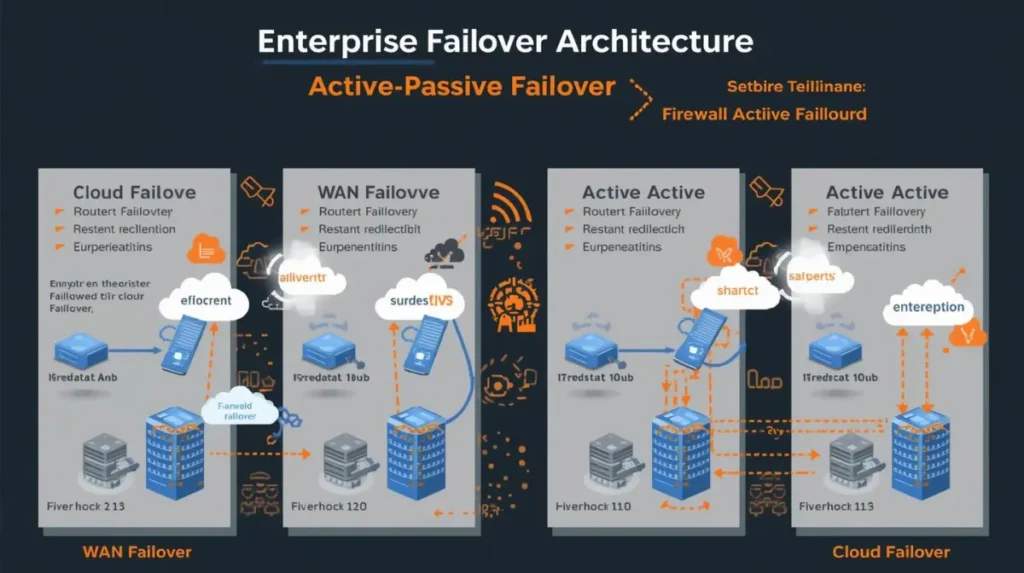
Different failover models help organizations maintain availability across switching, routing, firewall, cloud, and WAN infrastructure.
What Are the Different Types of Failover?
Enterprise networks use multiple failover models depending on infrastructure requirements.
Active-Passive Failover
In active-passive failover:
- one device remains active
- the secondary device waits in standby mode
If the primary system fails:
- the passive system becomes active
Common Examples
- firewall HA clusters
- standby routers
- backup servers
Advantages
- simpler design
- predictable failover behavior
Disadvantages
- standby resources remain unused during normal operation
Active-Active Failover
In active-active failover:
- multiple systems handle traffic simultaneously
If one fails:
- remaining systems continue forwarding traffic
Common Examples
- load-balanced servers
- dual-active firewalls
- multi-path routing
Advantages
- better resource utilization
- improved scalability
Disadvantages
- more complex synchronization
WAN Failover
WAN failover redirects traffic to backup internet or MPLS connections when primary WAN connectivity fails.
Enterprise Example
A retail company with:
- primary fiber ISP
- backup LTE WAN
can maintain payment systems during ISP outages.
Router Failover
Router failover often relies on:
- HSRP
- VRRP
- GLBP
These protocols help maintain gateway availability.
Firewall Failover
Firewall failover protects security infrastructure from becoming a single point of failure.
If you are working with enterprise firewalls, you may also like:
and
How Firewalls Protect Networks From Cyber Attacks
Cloud Failover
Cloud failover allows workloads to move between:
- regions
- availability zones
- cloud providers
to maintain service continuity.
Data Center Failover
Enterprise data centers often use:
- redundant power
- clustered systems
- multiple core switches
- redundant storage
- backup links
to maintain uptime.
What Is the Role of Failover Systems in Maintaining Network Availability?
Failover systems are essential for:
enterprise uptime and resilience.
They help organizations:
- reduce downtime
- improve service continuity
- support disaster recovery
- maintain production access
- protect critical infrastructure
Enterprise availability and disaster recovery strategies discussed by
ManageEngine
also emphasize that rapid failover and redundancy planning are critical for minimizing operational downtime.
💡 Enterprise Insight
In many enterprise environments, users never notice infrastructure failures because failover systems recover traffic paths before noticeable service interruption occurs.
Role of Alternate Ports in Enterprise Stability
Alternate ports are extremely important for enterprise switching resiliency.
Within RSTP:
- alternate ports maintain backup forwarding awareness
- failover occurs much faster
- convergence improves significantly
The following demonstration shows how alternate ports help enterprise networks recover quickly during uplink failures. Notice how RSTP minimizes downtime by rapidly transitioning backup paths into forwarding state.
In many enterprise environments, engineers monitor failover timing carefully because even short convergence delays can affect VoIP traffic, authentication systems, cloud applications, and wireless connectivity. This is one reason modern infrastructures prefer RSTP-based failover behavior over traditional STP convergence methods.
RSTP Alternate Ports and Rapid Recovery
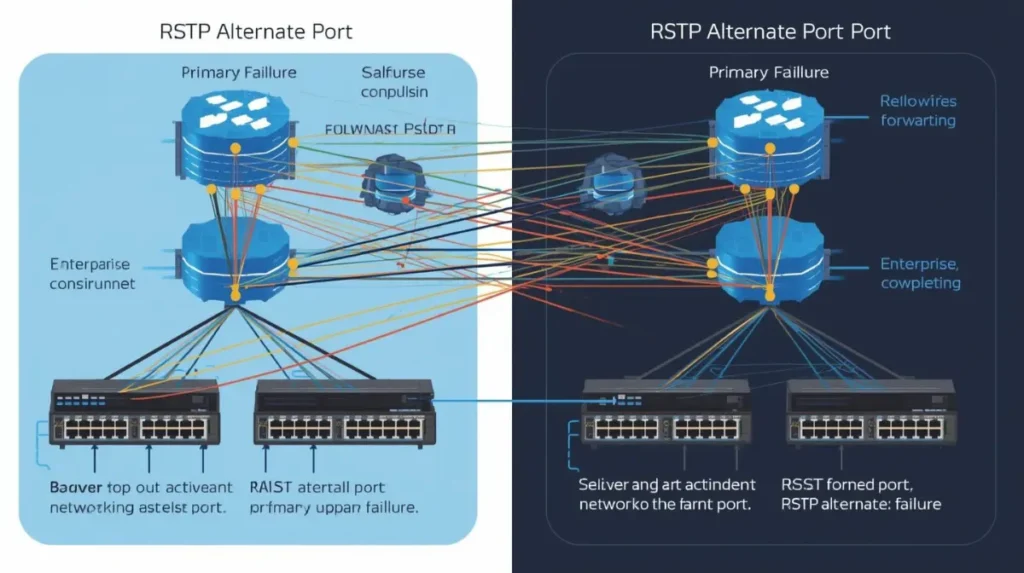
RSTP alternate ports significantly reduce convergence delays by maintaining standby forwarding awareness during topology failures.
How Alternate Ports Improve Enterprise Stability
Alternate ports help by:
- reducing convergence delays
- supporting rapid topology recovery
- improving redundancy
- minimizing outage duration
- stabilizing Layer 2 behavior
🔍 Real Operational Observation
During uplink failures, engineers often monitor alternate port activation closely because unstable failover behavior may indicate hidden topology or redundancy issues.
💡 Failure Pattern Recognition
Repeated topology recalculations during uplink transitions often indicate hidden redundancy instability rather than simple physical link failure.
🔍 Vendor Behavior Observation
In some mixed-vendor environments, failover timing and STP behavior may differ slightly between platforms, creating inconsistent recovery patterns during topology transitions.
Alternate Ports vs Traditional STP Blocking
| Feature | Traditional STP Blocked Port | RSTP Alternate Port |
|—|—|
| Convergence Speed | Slow | Fast |
| Failover Readiness | Limited | High |
| Recovery Behavior | Timer-dependent | Rapid transition |
| Enterprise Suitability | Lower | Better |
| Topology Awareness | Basic | Improved |
💡 Why This Matters
Even short failover delays can create noticeable impact for:
- VoIP systems
- authentication traffic
- financial applications
- wireless roaming
This is why modern enterprise environments prefer RSTP-based redundancy models.
If you want deeper understanding of STP failover behavior, read:
Dangerous STP Timer Mistakes Beginners Make
Enterprise STP Problems and Troubleshooting Methods
and
Enterprise Failover Architecture Best Practices
In large enterprise environments, undocumented uplinks and partially configured backup paths remain common causes of unexpected failover instability during production incidents.
Modern enterprise failover architecture requires careful planning.
Redundant Core Switches
Core infrastructure should avoid:
single points of failure.
Most enterprise networks deploy:
- dual core switches
- redundant uplinks
- multiple forwarding paths
Dual ISP Design
Organizations often use:
- primary ISP
- secondary ISP
to maintain internet availability during outages.
Link Aggregation
EtherChannel and LACP improve:
- redundancy
- bandwidth
- failover behavior
Redundant Firewalls
Firewall HA improves:
- security continuity
- traffic inspection availability
- VPN resilience
VRRP and HSRP
These protocols provide:
- gateway redundancy
- automatic router failover
- improved availability
Monitoring Systems
Engineers frequently correlate topology change logs with interface events to identify recurring failover instability patterns before they escalate into larger outages.
Monitoring is critical.
Enterprise teams usually track:
- topology changes
- failover events
- packet loss
- interface stability
- routing transitions
💡 Real Enterprise Observation
Many organizations discover failover weaknesses only during real outages because backup systems were never tested properly beforehand.
🔍 Hidden Operational Reality
In some environments, failover testing is postponed repeatedly because organizations fear disrupting production traffic during validation exercises.
Test Failover Regularly
Some organizations avoid failover testing during business hours because previous validation attempts temporarily affected VoIP quality or triggered unexpected topology recalculations.
Failover testing helps engineers identify:
- hidden instability
- convergence problems
- asymmetric routing
- configuration inconsistencies
before production incidents occur.
🔍 Practical Troubleshooting Workflow
During failover troubleshooting, engineers typically verify:
- physical link stability
- topology changes
- alternate port activation
- convergence timing
- routing consistency
before modifying STP priorities or redundancy settings.
Common Enterprise Failover Mistakes
Even well-designed environments sometimes contain hidden failover weaknesses.
Single Points of Failure
One device without redundancy may disrupt:
- entire VLANs
- internet access
- authentication systems
Misconfigured Alternate Ports
Improper STP or RSTP settings may:
- delay failover
- create topology instability
- increase convergence time
Poor Redundancy Design
Redundancy without proper planning sometimes creates:
- loops
- unstable failover
- asymmetrical traffic paths
💡 Important Note
More redundancy does not always mean more stability.
In many enterprise environments, poorly designed backup paths create more operational problems than they solve.
Lack of Monitoring
Without monitoring:
- failover events may go unnoticed
- instability remains hidden
- outage diagnosis becomes harder
Failure to Test Recovery
Backup systems that are never tested may fail unexpectedly during real incidents.
🔍 Hidden Enterprise Reality
In mixed-vendor environments, failover inconsistencies sometimes appear only after firmware updates or topology changes affect redundancy behavior unexpectedly.
Enterprise Failover vs Redundancy
Many people confuse failover and redundancy.
However:
- redundancy means backup resources exist
- failover means traffic successfully transitions to those resources
Simple Example
| Concept | Explanation |
|---|---|
| Redundancy | Secondary uplink exists |
| Failover | Traffic automatically switches to backup uplink |
🔍 Operational Insight
Some networks appear redundant on paper but still experience major outages because failover behavior was never validated properly.
Real-World Enterprise Failover Example
A financial organization operates:
- dual core switches
- redundant distribution switches
- backup WAN connectivity
- firewall HA cluster
One day:
- a core uplink fails unexpectedly
Immediately:
- RSTP alternate ports activate
- traffic reroutes automatically
- applications continue operating
- users experience minimal disruption
During troubleshooting:
- engineers verify topology changes
- monitor failover convergence
- inspect interface stability
Because failover mechanisms were tested previously:
- recovery remains stable
- business continuity is maintained
💡 Recovery Insight
In many production environments, recovery stability matters more than raw failover speed.
Troubleshooting Enterprise Failover Instability

Enterprise engineers often analyze topology changes, convergence timing, and MAC flapping events during failover troubleshooting.
Troubleshooting Enterprise Failover Issues
Enterprise failover troubleshooting often involves:
- topology analysis
- routing validation
- convergence monitoring
- interface diagnostics
Common Symptoms
Engineers may observe:
- intermittent packet loss
- delayed failover
- blocked ports
- unstable topology changes
- VoIP clipping
- random disconnections
STP Convergence Delays
In some mixed-vendor environments, convergence behavior may vary slightly between switching platforms, which can create inconsistent recovery timing during failover events.
Slow STP convergence remains one of the most common Layer 2 failover problems.
Traditional STP may require:
- 30–50 seconds
during topology recovery.
This is one reason enterprise environments typically prefer RSTP.
💡 Practical Troubleshooting Insight
Repeated short-duration outages during failover often indicate convergence instability rather than complete hardware failure.
🔍 Performance Observation
VoIP systems and wireless controllers often reveal failover instability faster than normal endpoint traffic because real-time services are more sensitive to convergence disruption.
CLI and Monitoring Indicators Engineers Commonly Verify
During enterprise failover troubleshooting, engineers often validate:
- topology change counters
- alternate port transitions
- blocked port behavior
- interface flapping
- routing reconvergence
- MAC address instability
Common troubleshooting commands include:
show spanning-tree
show spanning-tree detail
show interfaces trunk
show logging
show mac address-table
During troubleshooting, engineers frequently compare topology change counters before and after uplink transitions to identify unstable recovery behavior or hidden Layer 2 instability.
Monitoring Tools
Enterprise teams often use:
- SNMP monitoring
- syslog analysis
- topology monitoring
- interface analytics
- packet capture tools
Logging Analysis
In many production environments, MAC flapping warnings appear long before users experience a complete loss of connectivity.
Logs frequently reveal:
- topology recalculations
- link failures
- MAC flapping
- routing instability
before users report complete outages.
Future of Enterprise Failover

Modern enterprise infrastructure increasingly relies on automation, AI-driven recovery, and intelligent failover systems for resilience.
Future of Enterprise Failover
Enterprise failover continues evolving rapidly.
Future infrastructure trends include:
- AI-driven failover
- self-healing networks
- SD-WAN automation
- predictive redundancy
- cloud-native resilience
Modern enterprise resiliency discussions from
Ericsson
also highlight that automated failover and intelligent recovery systems are becoming increasingly important for enterprise continuity and infrastructure resilience.
AI-Driven Failover
Modern systems increasingly use:
- machine learning
- predictive monitoring
- automated recovery logic
to improve resiliency.
SD-WAN Failover
SD-WAN platforms improve:
- path selection
- WAN redundancy
- application-aware failover
Self-Healing Networks
Future enterprise environments may automatically:
- reroute traffic
- isolate instability
- recover failed services
with minimal human intervention.
Key Takeaways
- Enterprise Failover is essential for network availability
- Alternate ports improve Layer 2 recovery speed
- RSTP significantly improves failover behavior
- Redundancy alone is not enough without tested failover
- Monitoring and failover testing are critical
- Enterprise resiliency depends heavily on recovery stability
- Poorly designed redundancy can create instability
- Alternate ports help minimize downtime during uplink failures
- Backup systems should be tested regularly
- Hidden failover weaknesses often appear only during real outages
FAQ Section
What is failover in networking?
Failover in networking is the automatic transition from a failed device, path, or service to a backup system to maintain connectivity and availability.
What is a failover port?
A failover port is a backup interface that becomes active when the primary communication path fails.
What are alternate ports?
Alternate ports are RSTP backup ports that provide standby forwarding paths for rapid failover during link or topology failures.
Why is enterprise failover important?
Enterprise failover helps maintain uptime, reduce downtime, support business continuity, and improve network resilience during failures.
What are the different types of failover?
Common failover types include:
- active-passive failover
- active-active failover
- WAN failover
- firewall failover
- router failover
- cloud failover
- data center failover
How does failover improve network availability?
Failover improves availability by redirecting traffic automatically to backup systems when failures occur.
What is the difference between redundancy and failover?
Redundancy means backup systems exist, while failover refers to the automatic transition to those backup systems during failure.
How do alternate ports work in STP?
RSTP alternate ports maintain backup forwarding awareness and transition rapidly into forwarding state during uplink failure.
What happens during a failover event?
During failover:
- failure is detected
- backup systems activate
- traffic reroutes
- connectivity is restored
Which protocols support enterprise failover?
Protocols supporting enterprise failover include:
- RSTP
- HSRP
- VRRP
- GLBP
- BGP
- OSPF
- SD-WAN technologies

Abdul Shakoor writes practical, defensive cybersecurity and networking guides for SentrixHub. He focuses on making API security, mobile app security, authentication, and network concepts simple for beginners and developers.