
Introduction
Spanning Tree Protocol (STP) problems are among the most disruptive Layer 2 issues in enterprise networking.
Unlike simple endpoint failures, STP instability can affect entire VLANs, multiple switches, VoIP systems, wireless infrastructure, authentication services, and production applications simultaneously.
One incorrectly connected switch, a bad trunk configuration, or an unstable root bridge can quickly create:
- broadcast storms
- MAC address instability
- packet loss
- high switch CPU usage
- network-wide outages
This is why experienced engineers treat STP troubleshooting seriously.
In many enterprise environments, network instability during topology changes is often more dangerous than complete link failure because the symptoms appear random and inconsistent.
Understanding Enterprise STP Problems and the Troubleshooting Methods engineers use in production environments is critical for:
- CCNA and CCNP learners
- NOC engineers
- enterprise administrators
- infrastructure teams
- Cisco switching engineers
Because in real networks, Layer 2 instability spreads extremely fast.
💡 Real Enterprise Insight
In many production environments, engineers first notice small warning signs like intermittent VoIP clipping or unusual topology change alerts long before users report a complete outage.
What STP Failure Actually Means
👉 What is STP failure?
STP failure does not always mean the protocol completely stops working.
In enterprise environments, STP failure often refers to:
- unstable topology behavior
- incorrect root bridge selection
- switching loops
- excessive topology changes
- blocked uplinks
- convergence instability
- BPDU problems
- Layer 2 forwarding inconsistencies
Sometimes the network still appears partially functional while the switching environment becomes increasingly unstable underneath.
This is one reason STP problems are often difficult to diagnose quickly.
🔍 Hidden Beginner Mistake
Many beginners assume STP problems only appear during complete outages. In reality, enterprise STP instability often starts with small and inconsistent symptoms that are easy to ignore during early troubleshooting.
💡 Why This Matters
Small STP symptoms are often ignored until instability spreads across multiple switches and begins affecting production traffic.
Why STP Is Critical in Enterprise Switching
Modern enterprise networks depend heavily on redundancy.
Multiple uplinks, redundant core switches, EtherChannels, and backup paths are all designed to improve uptime.
However, without STP:
- loops form rapidly
- broadcast traffic multiplies uncontrollably
- switching tables become unstable
- traffic forwarding breaks
This is why STP exists:
Layer 2 loop prevention
Cisco’s official STP documentation also emphasizes the importance of loop prevention in scalable switching environments:
🔧 Practical Observation
In large switching environments, engineers often discover that redundancy itself becomes the source of instability when STP is poorly designed or inconsistently configured across VLANs.
💡 Enterprise Design Insight
Stable Layer 2 redundancy depends less on adding more backup links and more on maintaining predictable topology behavior during failover events.
Common Enterprise STP Problems
Several STP-related problems appear repeatedly in enterprise production environments.
Layer 2 Loop Scenarios
Layer 2 loops are one of the most serious enterprise switching problems.
Unlike routed networks, Ethernet frames do not contain TTL values to stop looping traffic automatically.
One accidental redundant connection may create:
- endless frame replication
- switching instability
- severe broadcast storms
💡 Real Enterprise Insight
One common production issue occurs when someone connects an unmanaged switch between two wall ports in different VLAN paths, unintentionally creating a Layer 2 loop.
In many office environments, this type of mistake happens during desk relocation or temporary workstation expansion projects.
🔍 Failure Pattern Recognition
In enterprise environments, unmanaged switch loops often create instability that spreads gradually before causing a complete outage, making the original loop source harder to identify.
Broadcast Storm Incidents
Broadcast storms can overwhelm enterprise switches extremely quickly.
Symptoms often include:
- extremely slow connectivity
- DHCP failures
- VoIP instability
- wireless controller disconnections
- switch CPU spikes
In severe situations:
- switches stop responding entirely
- management access fails
- users lose connectivity across multiple floors or buildings
How Layer 2 Loops Create Broadcast Storms

Broadcast storms can rapidly overwhelm enterprise switches and destabilize multiple VLANs during STP failures.
Real STP Broadcast Storm Troubleshooting Demo
In many enterprise environments, Layer 2 instability becomes difficult to identify because the symptoms often appear across multiple systems at the same time. Engineers may initially notice VoIP clipping, unstable wireless connectivity, delayed switch response, or intermittent packet loss before identifying the actual STP issue causing the disruption.
Broadcast storms are especially dangerous because they can spread rapidly across switching infrastructure. Once looping traffic starts multiplying, switches may struggle to process normal production traffic, which can affect entire VLANs and access layers within seconds.
The following practical demonstration shows how STP instability and Layer 2 loops behave during real troubleshooting scenarios, including topology changes, MAC flapping, and broadcast storm behavior in a switching environment.
This type of behavior is one reason enterprise engineers monitor topology changes and MAC address instability very closely during switching incidents.
🔍 Failure Pattern Recognition
Network engineers often notice broadcast storms indirectly through rising CPU usage, topology change notifications, and delayed switch responsiveness before identifying the actual loop source.
💡 Why This Matters
Broadcast storms rarely stay isolated to one switch. In large enterprise environments, instability can spread across multiple access layers within seconds.
Root Bridge Election Failures
Poor root bridge planning creates many enterprise STP problems.
An unintended switch may become the root bridge because:
- default priorities remain unchanged
- new switches enter the environment
- VLAN-specific STP settings are inconsistent
This can force traffic to follow inefficient paths across the network.
If you want deeper understanding of root bridge behavior, read:
Root Bridge Election Process Explained
Unexpected Root Bridge Causing Network Instability
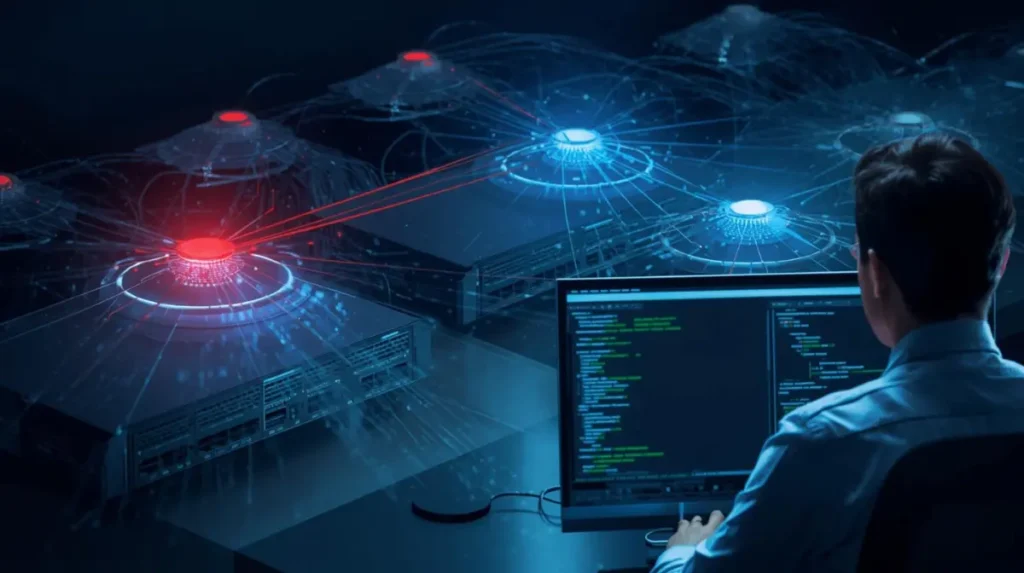
Incorrect STP priority planning can force traffic to follow inefficient forwarding paths across enterprise networks.
💡 Practical Engineer Insight
In many enterprise networks, root bridge instability causes intermittent performance issues that users experience as “random slowness” rather than a clear outage.
This is one reason engineers usually verify root bridge placement very early during STP troubleshooting.
🔍 Hidden Troubleshooting Insight
Engineers often compare root bridge placement across multiple VLANs because inconsistent elections can silently affect traffic flow without causing complete outages.
Incorrect STP Priority Configurations
Improper bridge priority settings may create:
- unstable root bridge elections
- traffic asymmetry
- unexpected failover behavior
- unnecessary topology recalculations
🔍 Hidden Troubleshooting Insight
During troubleshooting, engineers typically compare STP priorities across VLANs because inconsistent priority values often create confusing forwarding behavior that appears random to users.
STP Convergence Delays
👉 What is normal STP convergence time?
Traditional STP convergence may take:
- 30 to 50 seconds
during topology changes.
In production environments, this delay can interrupt:
- VoIP calls
- remote desktop sessions
- authentication traffic
- application connectivity
This is one reason many engineers deploy RSTP instead of traditional STP.
If you want deeper understanding of convergence delays, read:
Dangerous STP Timer Mistakes Beginners Make
💡 Convergence Insight
Repeated short-duration outages during uplink failover often indicate convergence instability rather than complete switch failure.
Experienced engineers usually investigate topology recalculations first before replacing hardware unnecessarily.
🔧 Performance Observation
Slow convergence events often affect user experience more heavily than physical link failures because multiple services become unstable simultaneously during topology recalculation.
Port Flapping Problems
Port flapping occurs when interfaces rapidly transition between states.
This often creates:
- excessive topology changes
- unstable forwarding behavior
- packet loss
- intermittent connectivity
According to many enterprise troubleshooting cases, STP flapping issues are commonly linked to:
- unstable uplinks
- duplex mismatches
- faulty transceivers
- misconfigured EtherChannels
Practical troubleshooting insights about STP flapping are also discussed here:
🔧 Operational Observation
In enterprise switching environments, unstable uplinks often create cascading topology changes across multiple switches, making the original failure source harder to identify.
💡 Recovery Mindset Insight
During recovery, engineers often stabilize physical interfaces first before modifying STP timers or bridge priorities unnecessarily.
BPDU-Related Issues
BPDU problems are extremely dangerous in enterprise networks.
Common examples include:
- rogue switches
- unmanaged devices
- unauthorized switch connections
- accidental loops
Without protections like BPDU Guard, one small mistake can destabilize large portions of the network.
💡 Why Engineers Trust BPDU Guard
Many enterprise engineers enable BPDU Guard on access ports because rogue switch incidents are far more common than most beginners expect.
🔍 Hidden Enterprise Reality
Temporary maintenance switches and unmanaged desk switches remain one of the most common causes of accidental Layer 2 instability in office environments.
Trunk Misconfigurations
Incorrect trunk settings frequently create:
- VLAN inconsistencies
- blocked forwarding paths
- unexpected STP recalculations
Engineers often verify:
- allowed VLAN lists
- native VLAN consistency
- trunk negotiation settings
during troubleshooting.
🔍 Hidden Beginner Mistake
Many beginners focus only on STP status while ignoring trunk configuration mismatches that silently affect spanning tree behavior across VLANs.
💡 Why This Matters
VLAN inconsistencies can create symptoms that appear application-related even though the actual problem exists entirely within the switching topology.
VLAN STP Inconsistencies
In large switching environments, different VLANs sometimes elect different root bridges unintentionally.
This causes:
- asymmetric forwarding
- inconsistent traffic paths
- troubleshooting complexity
💡 Enterprise Design Insight
Large enterprise environments often use intentional VLAN-specific root bridge placement for traffic engineering, but inconsistent planning can easily create operational complexity during failover events.
EtherChannel and STP Conflicts
Misconfigured EtherChannels are another common enterprise issue.
When channel-group settings mismatch:
- STP may block links unexpectedly
- topology instability increases
- loops may form temporarily
🔧 Real Recovery Experience
During recovery, engineers often isolate unstable EtherChannel members first before making topology-wide STP changes to avoid worsening convergence instability.
💡 Operational Insight
Many enterprise engineers verify EtherChannel consistency early because bundled uplinks can hide instability symptoms until failover occurs.
Rogue Switch Problems
One unauthorized switch can:
- alter topology behavior
- introduce loops
- generate excessive BPDUs
- create unexpected root bridge elections
🔧 Enterprise Observation
Network engineers often discover rogue switching devices during outage investigations rather than during routine monitoring.
This is one reason many enterprise teams implement stricter access layer protections and topology monitoring policies.
Unauthorized Switches Can Destabilize Enterprise Networks
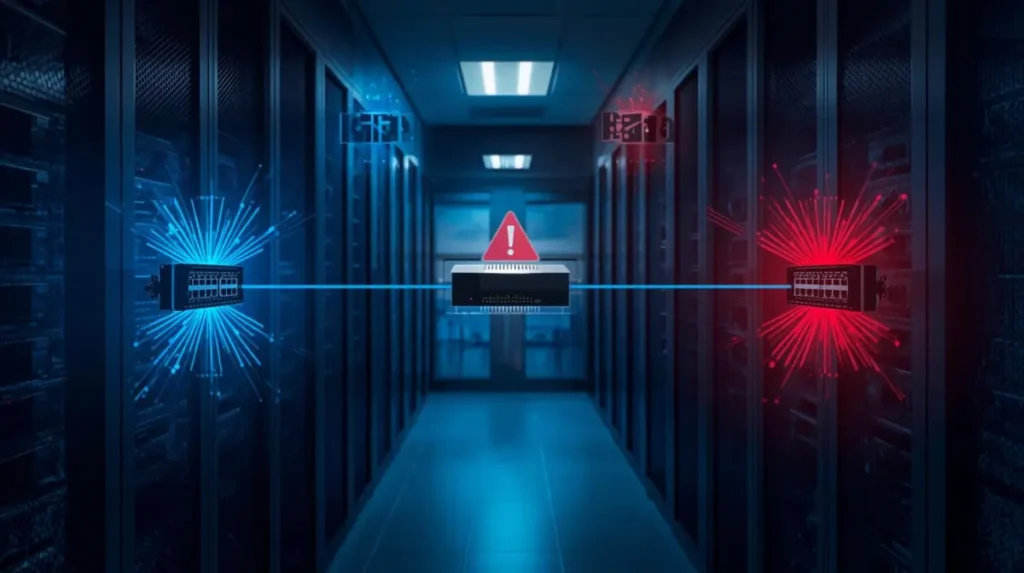
Rogue switching devices and unmanaged access switches remain common causes of accidental Layer 2 loops.
Network Instability Symptoms Engineers Notice
Many enterprise STP problems reveal themselves through indirect symptoms.
Common warning signs include:
- MAC flapping logs
- excessive topology changes
- VoIP clipping
- intermittent packet loss
- switch CPU spikes
- unstable wireless connectivity
- delayed failover recovery
- random VLAN instability
💡 Monitoring Insight
Continuous monitoring of topology change counters often helps engineers detect STP instability before users experience noticeable outages.
🔍 Failure Recognition Insight
When multiple unrelated systems begin showing intermittent issues simultaneously, engineers often suspect Layer 2 instability before application-layer failures.
💡 Why This Matters
Enterprise STP problems often affect multiple services indirectly, which makes troubleshooting much harder if engineers focus only on endpoint symptoms.
How Engineers Troubleshoot Enterprise STP Problems
Step 1 — Detect Symptoms
Engineers first identify:
- affected VLANs
- unstable switches
- traffic interruption patterns
- topology change frequency
💡 Troubleshooting Mindset Insight
Experienced engineers rarely start by changing configurations immediately. They first observe topology behavior patterns to avoid making instability worse during active troubleshooting.
Step 2 — Verify Root Bridge Stability
One of the first troubleshooting steps is confirming:
- expected root bridge placement
- priority values
- VLAN-specific root elections
Useful Command
show spanning-tree root
💡 Engineer Workflow Insight
When multiple VLANs show instability simultaneously, engineers often verify root bridge consistency before investigating endpoint-level problems.
Step 3 — Review STP Status
Cisco Show STP Status
show spanning-tree
This command helps engineers verify:
- root bridge
- port roles
- blocked ports
- topology changes
- STP protocol mode
What Engineers Look For
- unexpected root bridge changes
- alternate port instability
- rapidly increasing topology counters
- inconsistent port states
💡 Practical Engineer Insight
In many enterprise environments, engineers compare topology change counters across multiple switches because the switch with the highest change activity often reveals the instability source faster.
Step 4 — Review VLAN-Specific STP Information
show spanning-tree vlan 10
Useful for:
- VLAN-specific instability
- blocked path verification
- root bridge validation
Step 5 — Verify Trunk Interfaces
show interfaces trunk
Engineers verify:
- VLAN consistency
- trunk operational status
- native VLAN alignment
🔍 Operational Insight
In many enterprise outages, trunk inconsistencies create symptoms that appear application-related even though the actual problem exists at Layer 2.
Step 6 — Investigate MAC Address Flapping
show mac address-table
This helps detect:
- looping traffic
- unstable forwarding
- MAC movement between interfaces
🔍 Hidden Troubleshooting Clue
Frequent MAC address movement between two interfaces is often one of the earliest indicators of a Layer 2 loop.
💡 Why This Matters
Engineers often trust MAC flapping behavior more than user complaints because switching tables usually reveal instability before applications fail completely.
Step 7 — Check Logs
show logging
Engineers review:
- topology change notifications
- BPDU Guard violations
- interface flapping
- STP state transitions
🔧 Monitoring Insight
In enterprise environments, topology change notifications that increase continuously without physical maintenance activity often indicate hidden instability somewhere in the access layer.
Step 8 — Advanced STP Debugging
debug spanning-tree
Useful for:
- real-time topology behavior
- STP recalculations
- convergence analysis
⚠️ Warning:
Use debugging carefully in production environments.
💡 Enterprise Troubleshooting Insight
Experienced engineers usually avoid excessive debugging during peak production hours because unstable STP environments can already place high load on switches.
Cisco STP Troubleshooting Workflow

Enterprise engineers rely on topology analysis, MAC flapping detection, and STP diagnostics during Layer 2 troubleshooting.
Real Enterprise Scenario — Broadcast Storm After Accidental Switch Connection
Symptoms
- users lose connectivity
- VoIP phones disconnect
- switch CPU spikes
- wireless access points drop offline
Root Cause
An unmanaged switch created a Layer 2 loop between two access ports.
Detection Method
Engineers noticed:
- MAC flapping
- topology change flooding
- unstable uplinks
Commands Used
show spanning-tree
show logging
show mac address-table
Resolution
- disconnected rogue switch
- enabled BPDU Guard
- verified topology stability
Prevention
- PortFast + BPDU Guard
- switchport security
- user awareness policies
💡 Real Recovery Insight
During recovery, engineers usually isolate unstable access ports first before modifying topology-wide STP settings to avoid expanding the outage scope.
Real Enterprise Scenario — Wrong Root Bridge Causing Slow Traffic Paths
Symptoms
- intermittent slowness
- inefficient forwarding paths
- uplink congestion
Root Cause
A newly installed switch became the root bridge because default priorities were left unchanged.
Detection Method
Engineers verified root bridge placement using:
show spanning-tree root
Resolution
- manually configured root bridge priority
- stabilized traffic paths
- validated VLAN-specific root elections
💡 Failure Pattern Insight
Root bridge instability often creates inconsistent performance complaints instead of complete outages, making the issue difficult to identify without STP verification.
Real Enterprise Scenario — Flapping Uplinks Creating STP Instability
Symptoms
- repeated topology changes
- temporary packet loss
- VoIP interruptions
Root Cause
A faulty transceiver caused uplink instability.
Detection Method
Engineers noticed:
- excessive topology recalculations
- interface flapping logs
- unstable alternate ports
Resolution
- replaced faulty optic
- monitored convergence stability
- validated failover behavior
🔧 Performance Observation
In many enterprise environments, unstable uplinks trigger repeated convergence events that affect user experience far more than the original hardware issue itself.
Real Enterprise Scenario — Misconfigured Trunk Ports
Symptoms
- inconsistent VLAN communication
- blocked forwarding behavior
- random endpoint connectivity issues
Root Cause
Native VLAN mismatch between trunk interfaces.
Commands Used
show interfaces trunk
show spanning-tree vlan
Resolution
- corrected VLAN configuration
- revalidated STP topology
💡 Troubleshooting Insight
Many enterprise engineers validate trunk consistency early because VLAN mismatches frequently create misleading symptoms across multiple switches.
Real Enterprise Scenario — Loop Caused by Unmanaged Switch
Symptoms
- entire floor loses connectivity
- switches become unresponsive
- DHCP failures occur
Root Cause
A user connected a small unmanaged switch between two active wall ports.
Resolution
- isolated affected access ports
- removed loop source
- enabled BPDU Guard protections
🔍 Hidden Enterprise Reality
In many office environments, unmanaged switches remain one of the most common causes of accidental Layer 2 loops.
Cisco Spanning Tree Best Practices
Root Bridge Planning
Always define:
- primary root bridge
- secondary root bridge
intentionally.
💡 Cisco Enterprise Best Practice Insight
Stable root bridge placement is one of the most important foundations of predictable STP behavior in enterprise environments.
Use BPDU Guard
BPDU Guard protects edge ports from rogue switching devices.
Enable Root Guard
Root Guard prevents unauthorized switches from becoming root bridges.
Configure Loop Guard
Loop Guard helps prevent unexpected Layer 2 loops caused by unidirectional failures.
Use PortFast Carefully
PortFast improves endpoint startup time but should only be used on edge ports.
Implement UDLD
UDLD helps detect unidirectional link failures that may affect STP stability.
Proper VLAN Design
Large flat VLANs increase:
- broadcast domains
- convergence complexity
- outage impact
💡 Design Insight
Many enterprise engineers reduce large Layer 2 domains intentionally because smaller broadcast domains are usually easier to stabilize and troubleshoot during outages.
Monitor Topology Changes
Frequent topology changes often indicate:
- instability
- loops
- port flapping
- uplink problems
🔧 Monitoring Insight
Engineers often monitor topology change frequency over time because sudden increases usually indicate environmental instability even before outages become severe.
Test Failover Scenarios
Many engineers discover STP weaknesses only during real outages.
Periodic failover testing is extremely important.
💡 Real Enterprise Insight
Failover testing often reveals hidden Layer 2 weaknesses that remain completely invisible during normal traffic operation.
💡 Design Recommendation
Stable enterprise Layer 2 design depends more on predictable topology behavior than excessive redundancy.
Practical Troubleshooting Workflow Engineers Follow
| Step | Action |
|---|---|
| 1 | Detect symptoms |
| 2 | Verify root bridge |
| 3 | Review topology changes |
| 4 | Check blocked ports |
| 5 | Review switch logs |
| 6 | Validate trunk links |
| 7 | Detect MAC flapping |
| 8 | Verify convergence stability |
| 9 | Apply recovery actions |
| 10 | Implement preventive protections |
Enterprise STP Troubleshooting Workflow
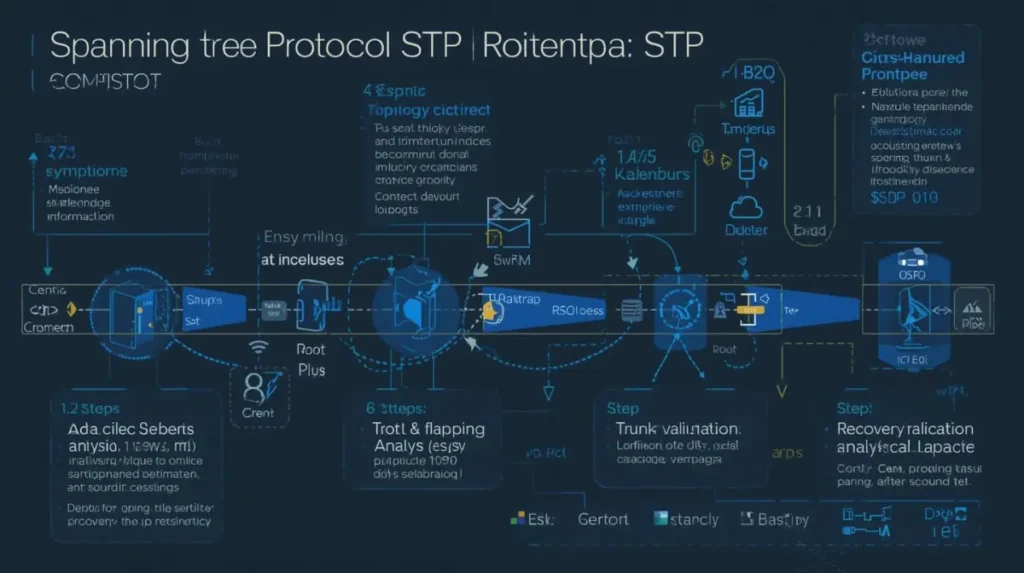
Experienced engineers follow a structured troubleshooting process to isolate Layer 2 instability and restore topology stability.
Additional Enterprise Recommendations
Many enterprise teams also combine STP stability planning with:
- firewall segmentation
- VLAN isolation
- redundant routing
- stateful failover mechanisms
If you are designing resilient enterprise infrastructure, you may also find these guides useful:
Stateful Switchover Best Practices
and
How Firewalls Protect Networks From Cyber Attacks
FAQs
How do you troubleshoot STP issues?
Engineers typically:
- verify root bridge placement
- review topology changes
- inspect blocked ports
- analyze MAC flapping
- validate trunk configurations
- review switch logs
- monitor convergence behavior
What is STP failure?
STP failure refers to instability involving:
- loops
- topology recalculations
- incorrect root bridge elections
- convergence delays
- blocked forwarding paths
How to troubleshoot spanning tree loop?
Engineers usually:
- isolate unstable switches
- inspect MAC flapping
- identify topology changes
- disconnect rogue devices
- review BPDU behavior
- validate trunk links
What is normal STP convergence time?
Traditional STP convergence may take:
- 30–50 seconds
depending on topology and timer configuration.
Which Cisco commands help troubleshoot STP?
Common troubleshooting commands include:
show spanning-tree
show spanning-tree root
show interfaces trunk
show mac address-table
show logging
debug spanning-tree
How can STP loops be prevented?
STP loops can be prevented using:
- BPDU Guard
- Root Guard
- Loop Guard
- proper root bridge planning
- correct trunk configuration
- topology monitoring
Why does STP instability happen?
STP instability usually occurs because of:
- loops
- port flapping
- bad trunk settings
- rogue switches
- root bridge instability
- topology changes
What are Cisco spanning tree best practices?
Best practices include:
- root bridge planning
- BPDU Guard
- Loop Guard
- PortFast
- VLAN design optimization
- failover testing
- topology monitoring
Final Conclusion
Enterprise STP problems are rarely simple.
One unstable uplink, rogue switch, VLAN inconsistency, or Layer 2 loop can quickly affect large portions of a production network.
Understanding Enterprise STP Problems and the Troubleshooting Methods engineers trust is essential for maintaining:
- stable switching behavior
- reliable failover
- predictable topology operation
- enterprise uptime
In many enterprise environments, successful STP troubleshooting depends less on memorizing commands and more on recognizing:
- failure patterns
- topology behavior
- convergence symptoms
- hidden instability indicators
Because ultimately, stable Layer 2 design is not just about preventing loops — it is about maintaining predictable network behavior during real operational failures.

Abdul Shakoor writes practical, defensive cybersecurity and networking guides for SentrixHub. He focuses on making API security, mobile app security, authentication, and network concepts simple for beginners and developers.