
You finally build your forgot-password flow in React.
The email sends correctly. The reset page opens. The token appears in the URL. The user enters a new password. The API returns success. From a normal development point of view, everything looks complete.
But then you check your browser history and see the full reset URL sitting there. Or you open the console and notice that the token was logged during testing. Or your staging error tracker captured the complete reset link.
That is the moment many junior developers understand one important security lesson: a password reset link is not just a normal link. It is a temporary key to a user account.
These password reset link risks are easy to miss when you are focused only on making the React form work. Password reset looks like a simple feature, but it is one of the most sensitive parts of authentication. If the reset token leaks, an attacker may be able to change the user’s password and take over the account.
In 2026, users expect secure password recovery. They also expect your app to protect them even when they use shared devices, mobile email apps, browser history, or public networks. That means junior React developers need to think beyond the UI and understand how frontend decisions affect the full password reset flow.
This guide explains five password reset link risks junior React developers should avoid, with practical examples, real development insights, and secure alternatives you can apply before shipping your next forgot-password feature.
Password Reset Link Risks in React Apps Explained for Junior Developers
Quick Video Guide: Before we go deeper into the five risks, watch this short explanation of how password reset links work in React apps, where reset tokens can leak, and what junior developers should check before shipping a forgot-password feature.
This video gives you the basic security mindset. Now let’s break down the five most common password reset link risks junior React developers should avoid in 2026, with practical examples, real development scenarios, and safer implementation tips.
Why Password Reset Links Need Extra Security in React Apps
A password reset link is a temporary authentication action.
When a user clicks a reset link, your app is basically saying, “This person has permission to change the password for this account.” That is powerful. If the wrong person gets access to that link before it expires, the account may be at risk.
A common React password reset flow looks like this:
- User clicks “Forgot password”
- User enters an email address
- Backend sends a reset email
- User opens a link like
/reset-password?token=abc123 - React reads the token from the URL
- User enters a new password
- Backend validates the token and updates the password
This flow is common, but every step needs security thinking.
React is excellent for building clean user interfaces, but React does not automatically secure your authentication design. The frontend can show forms, capture input, display errors, and guide the user. But the backend must validate the reset token, enforce expiry, prevent reuse, and protect against abuse.
The OWASP Forgot Password Cheat Sheet recommends secure reset tokens, safe responses, rate limiting, and careful handling of password reset flows. These are not advanced ideas only for senior security engineers. Junior developers should understand them early because password reset mistakes often happen during basic implementation.
A good secure password reset flow is not only about writing working code. It is about asking better questions:
- What happens if this reset link is copied?
- What happens if the token appears in logs?
- What happens if the user opens the link on a shared device?
- What happens if the same token is used twice?
- What happens if someone repeatedly requests reset emails?
This is where React authentication security becomes more than form validation. It becomes full-flow security.
For a deeper explanation of token leakage, you can also read SentrixHub’s guide on password reset tokens in URLs and security risks.
1. Exposing Reset Tokens Directly in URLs
One of the most common password reset link risks is exposing the reset token directly in the URL.
A typical reset link may look like this:
https://example.com/reset-password?token=abc123securetoken
In React, a junior developer might read the token like this:
import { useSearchParams } from "react-router-dom";

function ResetPasswordPage() {
  const [searchParams] = useSearchParams();
  const token = searchParams.get("token");

  return <ResetPasswordForm token={token} />;
}
This works. React gets the token, passes it to the form, and the reset flow continues.
But the security risk is that the token now lives inside the URL. URLs can travel to more places than developers expect.
A password reset token in URL can appear in:
- Browser history
- Shared screenshots
- Copied links
- Server access logs
- Proxy logs
- Analytics tools
- Error tracking tools
- Support tickets
- Browser extensions
- Shared device history
Here is a simple mock example of how a reset token may appear inside a browser URL during a React password reset flow.
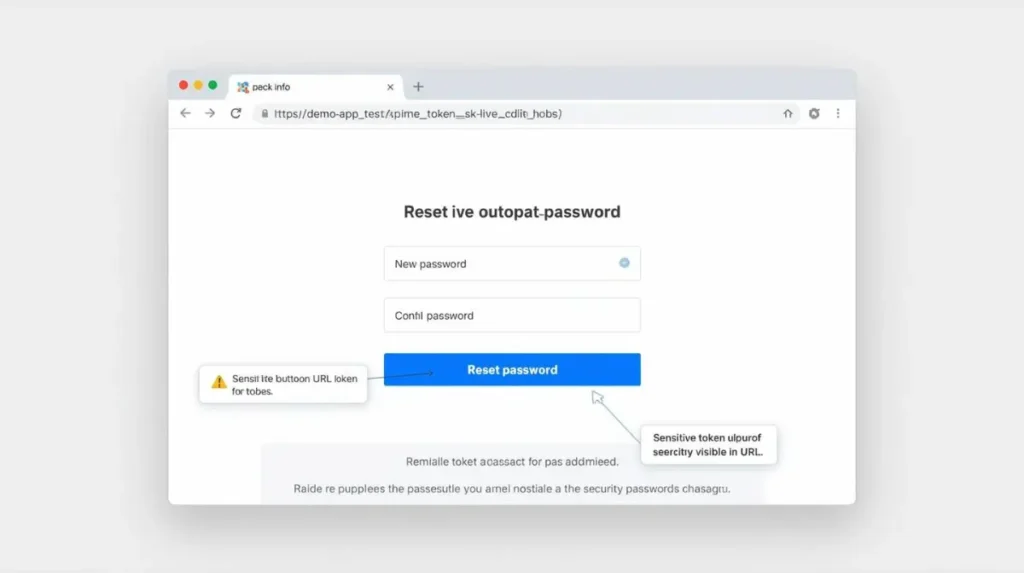
This is why a password reset token in URL should be treated carefully. Even if the link is temporary, it can still appear in browser history, screenshots, logs, or shared links before it expires.
The MDN URLSearchParams documentation explains how query parameters can be read from URLs in JavaScript. That is useful for normal app features, but reset tokens are sensitive. Just because you can easily read a token from the URL does not mean the URL is a safe long-term place for it.
Junior Developer Common Mistake
A junior developer may think:
“The token is random and temporary, so it is fine in the URL.”
The better security mindset is:
“The token is temporary, but during that temporary window it can reset an account.”
That is the real security aha moment.
The problem is not only whether the token is random. The problem is where the token appears before it expires.
Real-World Risk Example
Imagine a user opens a password reset link on a shared office computer. They reset the password, close the tab, and leave. Later, another person opens the browser history and sees the reset URL.
If the token is still valid or reusable, that second person may attempt to use it.
Or imagine a developer testing on staging and sharing a screenshot with the full reset URL visible in the address bar. That screenshot may end up in Slack, Jira, Trello, email, or documentation. Now the reset token has left the app and entered team communication tools.
That is how real password reset vulnerabilities often begin.
A reset link can also appear outside the React app itself, especially in browser history, logs, or shared debugging screenshots.
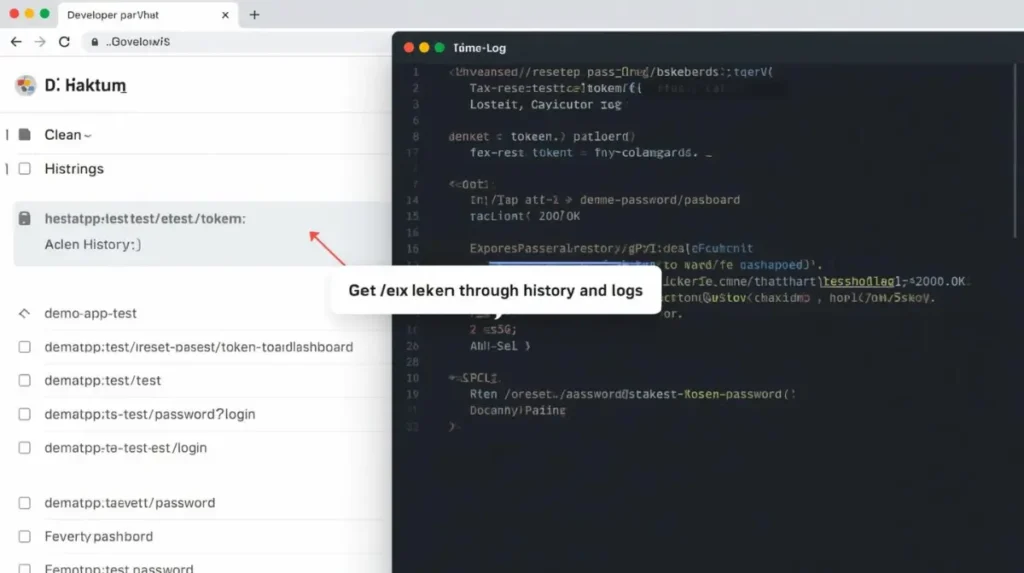
This is a common production gap: developers test the reset flow in React, but forget that URLs may also be captured by tools outside the frontend.
Safer Approach
If your app uses reset tokens in URLs, reduce the risk with multiple controls:
- Use short-lived tokens
- Make tokens one-time use
- Validate tokens immediately on the backend
- Avoid logging full URLs
- Never store reset tokens in localStorage
- Remove the token from the visible URL after verification when possible
- Use HTTPS only
- Sanitize monitoring and analytics tools
A simplified React approach may look like this:
import { useEffect } from "react";
import { useSearchParams } from "react-router-dom";

function ResetPasswordPage() {
  const [searchParams] = useSearchParams();
  const token = searchParams.get("token");

  useEffect(() => {
    async function verifyToken() {
      if (!token) return;

      const response = await fetch("/api/auth/verify-reset-token", {
        method: "POST",
        headers: {
          "Content-Type": "application/json"
        },
        body: JSON.stringify({ token })
      });

      if (response.ok) {
        window.history.replaceState({}, document.title, "/reset-password");
      }
    }

    verifyToken();
  }, [token]);

  return <ResetPasswordForm token={token} />;
}
This example is simplified. Real production implementation should validate the token on the backend again when the user submits the new password. Removing the token from the visible URL helps reduce exposure, but it does not replace backend validation.
2. Not Expiring Password Reset Links Fast Enough
The second major risk is allowing password reset links to stay active for too long.
During development, many teams set token expiry to several hours or even one day. This makes testing easier. QA can open the reset email later. Developers can reuse links while debugging. Staging testing becomes more convenient.
But development convenience can become production risk.
A long-lived reset link gives attackers more time to abuse it if it leaks. The link may sit inside an email inbox, mobile notification, synced device, shared browser, or compromised email account.
Production vs Development Gap
This is one of the most common real-world gaps:
In development, the team thinks:
“Let’s keep the reset token valid for 24 hours so testing is easier.”
In production, that becomes:
“An attacker has 24 hours to use a leaked reset link.”
That is why password reset link expiration should be reviewed before deployment. A setting that feels harmless in staging can become dangerous in production.
Better Expiration Strategy
For many web apps, a reset link expiry window of around 10 to 30 minutes is a practical starting point. The exact time depends on the product, user base, support process, and risk level.
The backend should check:
- When the token was created
- Whether the token has expired
- Whether the token has already been used
- Whether the token belongs to the correct user
- Whether a newer token was issued after this one
Example backend logic may look like this:
if (!tokenRecord) {
  throw new Error("Invalid or expired reset link");
}

if (tokenRecord.usedAt) {
  throw new Error("Invalid or expired reset link");
}

if (Date.now() > tokenRecord.expiresAt) {
  throw new Error("Invalid or expired reset link");
}
The error message should usually be safe and generic. You do not need to tell attackers exactly whether the token was expired, reused, or fake.
Real Development Insight
Many junior developers test the happy path only:
- Request reset email
- Click link
- Enter new password
- See success message
But security testing requires edge cases:
- What if the link is opened after expiry?
- What if the same link is used twice?
- What if the user requests multiple reset emails?
- What if an old reset link is clicked after a newer one was generated?
A secure reset password React app should handle these cases clearly and safely.
Line to Remember
If a reset link stays valid longer than the user needs, it also stays useful longer for an attacker.
That one line should guide your password reset token security decisions.
3. Trusting Frontend Validation Instead of Backend Token Checks
React can improve user experience. It can check whether password fields match. It can show password strength. It can disable the submit button. It can display friendly validation messages.
But React should never be the final security authority.
Anything that runs in the browser can be modified, bypassed, or manipulated by a user. That is why backend token validation is required.
The React official documentation is useful for learning how React manages UI and state, but authentication security still depends heavily on backend rules and secure system design.
What React Can Do
React can:
- Display the reset password form
- Read route/query values
- Show loading states
- Show safe error messages
- Check password confirmation
- Guide the user through the reset process
What the Backend Must Do
The backend must verify:
- Token exists
- Token is not expired
- Token is unused
- Token belongs to the correct user
- Token matches the latest reset request
- Password meets policy
- Reset request is not abusive
- Token is marked used after success
A junior developer might write frontend logic like this:
if (token && password.length >= 8) {
  submitNewPassword();
}
This only confirms that a token-like value exists in the browser. It does not prove the token is valid.
Better Secure Password Reset Flow
A safer flow looks like this:
- React receives the reset link
- React sends the token to the backend
- Backend validates the token
- React shows the reset form only if the token is acceptable
- User submits the new password
- Backend validates the token again
- Backend updates the password
- Backend marks the token as used
- Backend invalidates old sessions if needed
Example frontend request:
async function resetPassword(token, newPassword) {
  const response = await fetch("/api/auth/reset-password", {
    method: "POST",
    headers: {
      "Content-Type": "application/json"
    },
    body: JSON.stringify({ token, newPassword })
  });

  if (!response.ok) {
    throw new Error("Reset link is invalid or expired.");
  }

  return response.json();
}
The key point is simple: React sends the request, but the backend makes the security decision.
A secure reset password flow should not depend only on React. The backend must validate the token before allowing a password change.
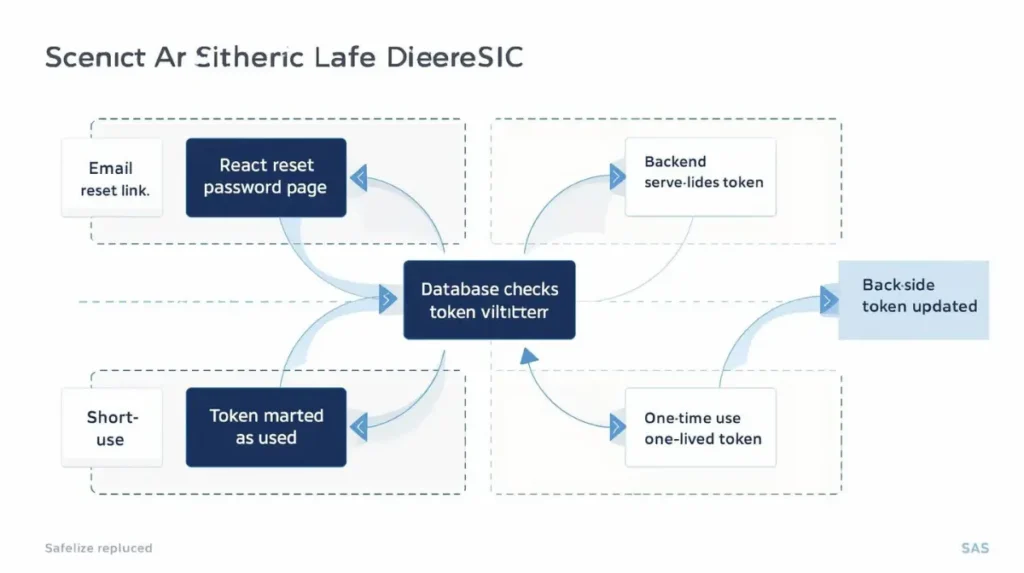
The frontend can guide the user, but the backend should always check whether the reset token exists, belongs to the correct user, is unused, and has not expired.
SentrixHub Real Insight
Real Insight: In most cases, password reset security issues are not coding bugs—they are design decisions made too early without threat modeling.
This is important for junior developers.
Many password reset vulnerabilities do not happen because someone cannot write code. They happen because the team decides too early:
- “Let’s keep the token in the URL.”
- “Let’s make it valid for 24 hours.”
- “Let’s log the full reset link for debugging.”
- “Let’s only check token presence in the frontend.”
- “Let’s add rate limiting later.”
Security thinking means slowing down before these decisions become production behavior.
For related account security awareness, SentrixHub’s guide on dangerous passwords explains how weak authentication habits can increase real-world risk.
4. Logging or Storing Reset Tokens During Development
This is one of the most practical and realistic frontend password reset security mistakes.
During development, a junior developer may write:
console.log("Reset token:", token);
console.log("Full reset URL:", window.location.href);
One of the easiest mistakes during development is logging reset tokens or storing them in browser storage for convenience.
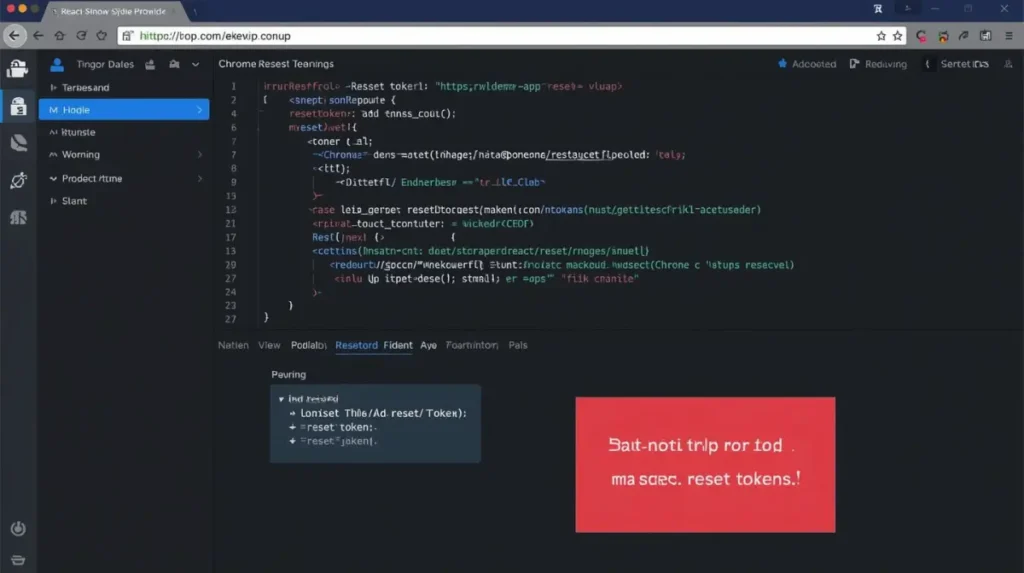
For safer debugging, log only whether the token exists, not the actual token value. Reset tokens should never become normal development data.
At first, this feels harmless. You are only checking whether React Router captured the token correctly.
But sensitive logs have a habit of spreading.
Reset tokens can accidentally end up in:
- Browser console screenshots
- QA reports
- Slack messages
- Jira tickets
- Loom recordings
- Developer notes
- Error monitoring tools
- Analytics tools
- Network logs
- Staging documentation
This is a real development experience issue. The developer does not intend to leak the token. The token leaks because the team treats it like normal debug data.
Avoid localStorage for Reset Tokens
Another common mistake is storing the reset token in localStorage:
localStorage.setItem("resetToken", token);
This is risky because localStorage persists after refresh and can be accessed by JavaScript running on the page. If the app ever has an XSS issue, sensitive values in localStorage become easier targets.
A reset token should be temporary. It should not become a stored browser value.
For a password reset implementation React flow, avoid:
localStoragesessionStorage- long-lived client state
- full URL logs
- token screenshots
- token values in error messages
Safer Logging
Instead of logging the actual token, log only safe information:
console.log("Reset token exists:", Boolean(token));
This helps you debug without exposing the sensitive value.
Real Security Aha Moment
A senior developer reviewing a reset password pull request may search for:
console.log
localStorage
window.location.href
token
resetUrl
Why?
Because reset token exposure often hides in debugging habits, not in the visible UI.
This is also why a broader security mindset matters. SentrixHub’s Frida Hooking Explained guide is useful for understanding how sensitive data can be observed at runtime, especially when thinking beyond normal user behavior.
Author Insight
In real projects, the most dangerous reset token leak is often not a dramatic hack. It is a normal developer workflow:
A token gets logged, copied into a ticket, pasted into a team chat, or captured by a monitoring tool.
Security improves when teams stop treating sensitive values as harmless development data.
5. Missing Rate Limits and Abuse Protection
A forgot-password page can be abused even if your reset tokens are strong.
Attackers may use the reset flow to:
- Spam users with reset emails
- Check whether an email is registered
- Abuse email delivery costs
- Trigger account confusion
- Brute force weak reset systems
- Create reset fatigue
- Test your authentication behavior
The OWASP Web Security Testing Guide for weak password reset functionality highlights the need to test password reset flows for weaknesses such as predictable tokens, weak validation, and lack of protection against abuse.
Junior Developer Common Mistake
A junior developer may focus only on this part:
“Can the user reset the password?”
But a security-minded developer also asks:
“Can an attacker abuse this reset feature?”
A risky forgot-password endpoint may respond like this:
Email not found.
or:
User exists. Reset email sent.
This can allow attackers to enumerate users.
Better Response Pattern
Use a generic response:
If an account exists for this email, we will send password reset instructions.
This helps protect user privacy and reduces account enumeration risk. The OWASP Authentication Cheat Sheet also recommends generic responses for authentication flows to avoid revealing unnecessary account information.
Best Practices for Abuse Protection
Use layered protection:
- Rate limit reset requests by IP
- Rate limit reset requests by account/email
- Use generic responses
- Throttle repeated emails
- Monitor unusual reset activity
- Add CAPTCHA only when needed
- Avoid revealing whether an email exists
- Log security events without logging tokens
- Alert on repeated reset attempts
- Invalidate older reset tokens when a new one is created
This is part of forgot password security best practices. A secure password reset flow is not only about the reset page. It starts from the moment a user submits an email address.
Password reset security is not only about the reset link. The forgot-password request endpoint also needs abuse protection.
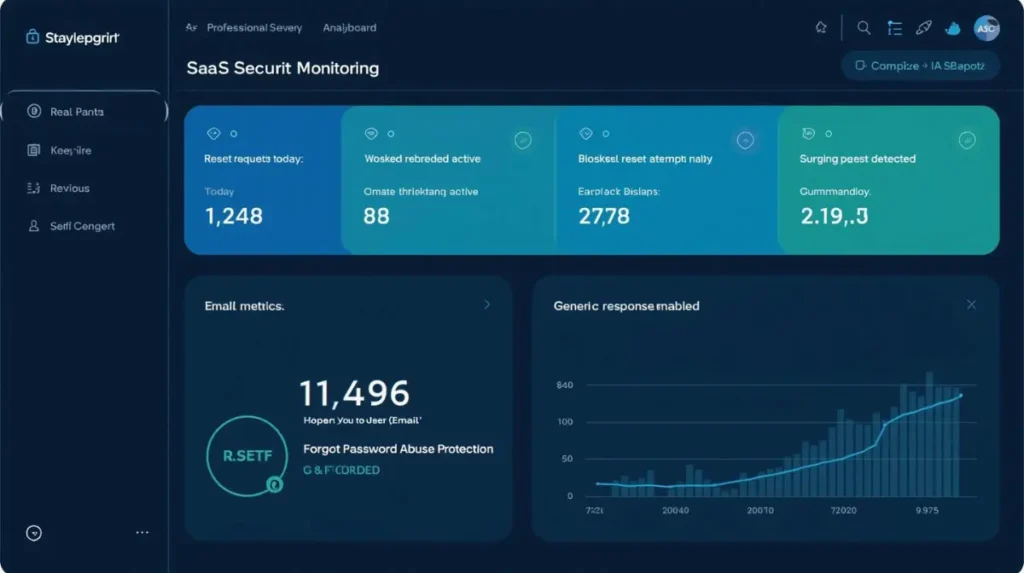
Rate limits, email throttling, generic responses, and monitoring help prevent a forgot-password feature from becoming an attack surface.
For a broader understanding of layered defense, SentrixHub’s guide on how firewalls protect networks explains why relying on one protection layer is rarely enough.
React Password Reset Best Practices for 2026
A secure React password reset flow should be simple for users but strict in the backend.
Here is a practical checklist for junior React developers.
Password Reset Security Checklist
✔ Use short-lived reset tokens
✔ Make reset tokens one-time use
✔ Validate tokens on the backend
✔ Never trust frontend-only validation
✔ Do not store reset tokens in localStorage
✔ Avoid logging full reset URLs
✔ Avoid logging token values
✔ Use HTTPS only
✔ Use generic forgot-password responses
✔ Rate limit reset requests
✔ Throttle repeated reset emails
✔ Invalidate older tokens when new ones are issued
✔ Remove token from visible URL after verification when possible
✔ Mark tokens as used after successful reset
✔ Consider invalidating old sessions after password change
✔ Show safe and clear error messages
✔ Test expired, reused, missing, and fake tokens
✔ Sanitize analytics and monitoring tools
✔ Review staging settings before production deployment
Production vs Development Insight
Development is about making the feature work.
Production is about making the feature safe when users, attackers, devices, browsers, email clients, logs, and monitoring tools interact with it in unexpected ways.
That is the difference junior developers need to understand.
In local development, a password reset link may only be seen by you. In production, that same link may pass through email clients, browsers, mobile apps, logs, security tools, and user behavior you cannot control.
Security Thinking Shift
Do not only ask:
“Does the reset form submit successfully?”
Ask:
- Can this token leak?
- Can this token be reused?
- Can this link expire safely?
- Can this flow be abused?
- Can this token appear in logs?
- Can old reset links still work?
- Can users understand safe error messages?
- Can the backend reject every unsafe request?
This shift turns a basic React feature into a more secure authentication flow.
You may also want to review SentrixHub’s guide on dangerous SSL validation mistakes, because HTTPS and secure transport are also important when handling sensitive authentication flows.
Real-World Testing Scenarios Junior React Developers Should Try
Testing only the successful password reset path is not enough.
Before shipping your reset password feature, test these real-world scenarios.
1. Expired Token
Request a reset email, wait until the token expires, then open the link.
Expected result:
- Backend rejects the token
- React shows a safe error
- User can request a new reset email
2. Reused Token
Use a reset link successfully once. Then open the same link again.
Expected result:
- Backend rejects the reused token
- Password cannot be changed again
- Token is marked as used
3. Copied Reset URL
Copy the reset link and open it in another browser or private window.
Expected result:
- Backend still controls validation
- Token works only if unused and unexpired
- After use, the token becomes invalid
4. Fake Query Parameter
Try opening:
/reset-password?token=randomfakevalue
Expected result:
- Backend rejects it
- React shows a generic invalid or expired message
- No sensitive details are exposed
5. Multiple Reset Requests
Request password reset multiple times for the same email.
Expected result:
- Newest token works
- Older tokens become invalid if your design supports that
- Email sending is throttled
- No account existence is revealed
6. Browser Back Button
Reset the password successfully, then press the browser back button.
Expected result:
- User cannot reuse the reset token
- Sensitive token should not remain visible if avoidable
- Backend still rejects old token reuse
7. Mobile Email App
Open the reset link from a mobile email app.
Expected result:
- Flow works correctly
- Token validation happens server-side
- App does not depend on desktop-only behavior
8. Shared Device
Open the reset link on a shared or public device.
Expected result:
- Token expires quickly
- Token becomes invalid after use
- User receives clear completion feedback
- Old sessions are reviewed or invalidated if needed
9. Monitoring Tool Check
Trigger reset flow errors in staging and check your monitoring tool.
Expected result:
- Full reset URLs are not captured
- Token values are masked or removed
- Error messages do not expose sensitive data
10. Console and Network Review
Open browser DevTools and inspect console/network logs.
Expected result:
- Token is not printed in console logs
- Token is not stored in localStorage
- API responses do not expose unnecessary user data
These tests help junior developers move from “the feature works” to “the feature is safer for real users.”
Common Password Reset Security Mistakes to Avoid
Here are some common password reset security mistakes that appear in real React and API-based apps:
- Keeping reset links valid for too long
- Allowing reset tokens to be reused
- Storing tokens in localStorage
- Logging full reset URLs
- Trusting frontend validation too much
- Showing different messages for registered and unregistered emails
- Missing rate limits
- Forgetting to test expired tokens
- Not invalidating old reset tokens
- Sending sensitive token data to third-party tools
- Using weak password policies
- Treating staging behavior as production-ready
Some of these mistakes look small. But authentication issues often come from small decisions that combine into bigger risk.
For example:
A token is valid for 24 hours.
The full URL is logged.
The token can be reused.
The forgot-password endpoint has no rate limit.
Individually, each issue may look manageable. Together, they can create weak password reset functionality.
FAQ
Are password reset tokens safe in URLs?
Password reset tokens in URLs can be used, but they carry leakage risks. They may appear in browser history, logs, screenshots, analytics tools, copied links, and monitoring systems. If you use reset tokens in URLs, make them short-lived, one-time use, and always validate them on the backend.
How long should a password reset link stay active?
For many applications, 10 to 30 minutes is a practical starting range. The exact expiry depends on your product and users. The most important rule is that expiration must be enforced on the backend, not only in React.
Should React store password reset tokens in localStorage?
No. React apps should avoid storing password reset tokens in localStorage. Reset tokens are sensitive and temporary. Use them only during the reset flow and let the backend validate them.
How do developers secure password reset flows in React?
Developers secure React password reset flows by using short-lived tokens, one-time use, backend validation, HTTPS, generic responses, rate limiting, safe logging, and careful testing of expired, reused, fake, and copied reset links.
What are common password reset vulnerabilities?
Common password reset vulnerabilities include long-lived tokens, reusable tokens, token leakage in URLs, unsafe logging, missing backend validation, account enumeration, missing rate limits, and storing reset tokens in browser storage.
Conclusion
Password reset flows look simple, but they are security-sensitive.
For junior React developers, the biggest mistake is treating a reset link like a normal frontend route. It is not normal. It is a temporary path to account recovery. If handled carelessly, it can become a path to account takeover.
A secure React password reset flow protects user accounts, product trust, and your app’s reputation. React should make the user experience smooth, but the backend must enforce token validation, expiry, rate limits, and one-time use.
Before shipping your next forgot-password feature, audit every reset link from email to backend verification. Check the URL, logs, storage, expiry, reuse behavior, and abuse protection.
One quick review now can prevent a real security issue later.

Abdul Shakoor writes practical, defensive cybersecurity and networking guides for SentrixHub. He focuses on making API security, mobile app security, authentication, and network concepts simple for beginners and developers.